> ## Documentation Index
> Fetch the complete documentation index at: https://docs.vizcom.com/llms.txt
> Use this file to discover all available pages before exploring further.
# Color Match
## Keep your colors consistent with Color Match
Make sure your sketch colors stay true in every render and get accurate, presentation-ready visuals.
## When to use Color Match
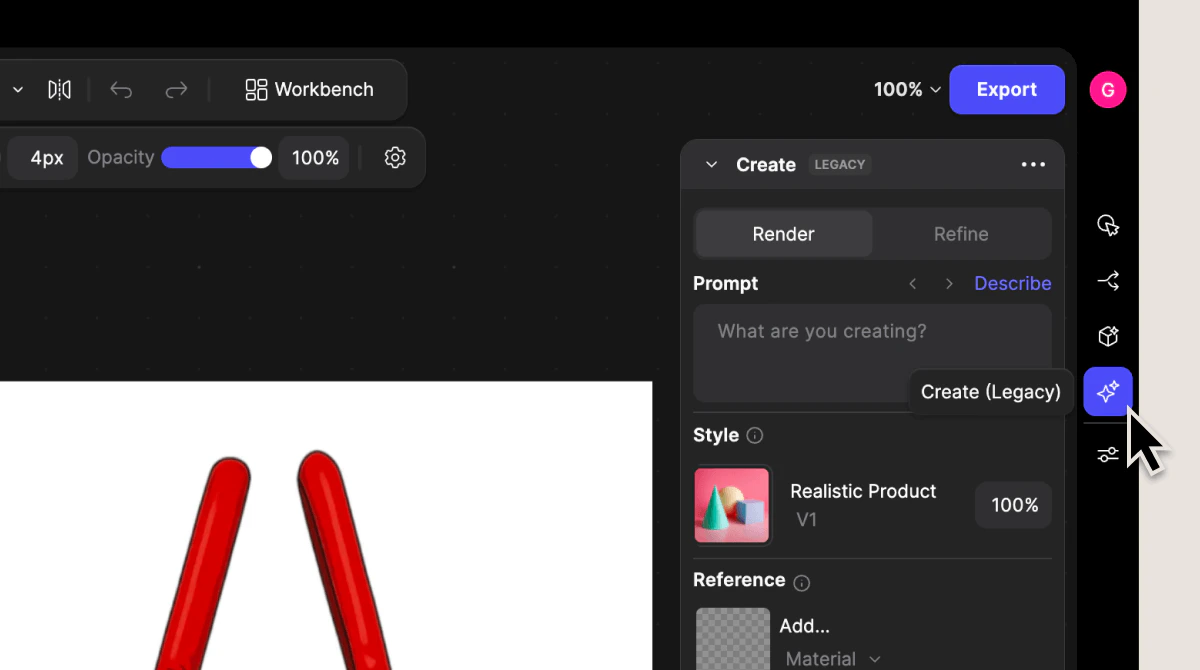
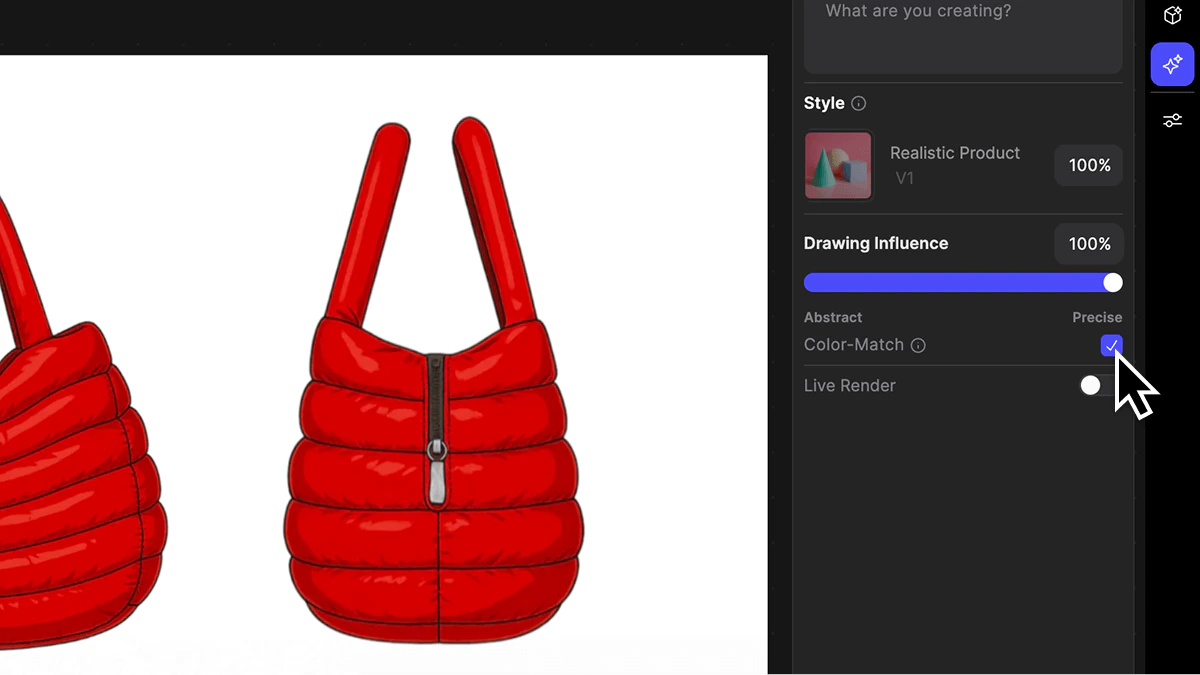
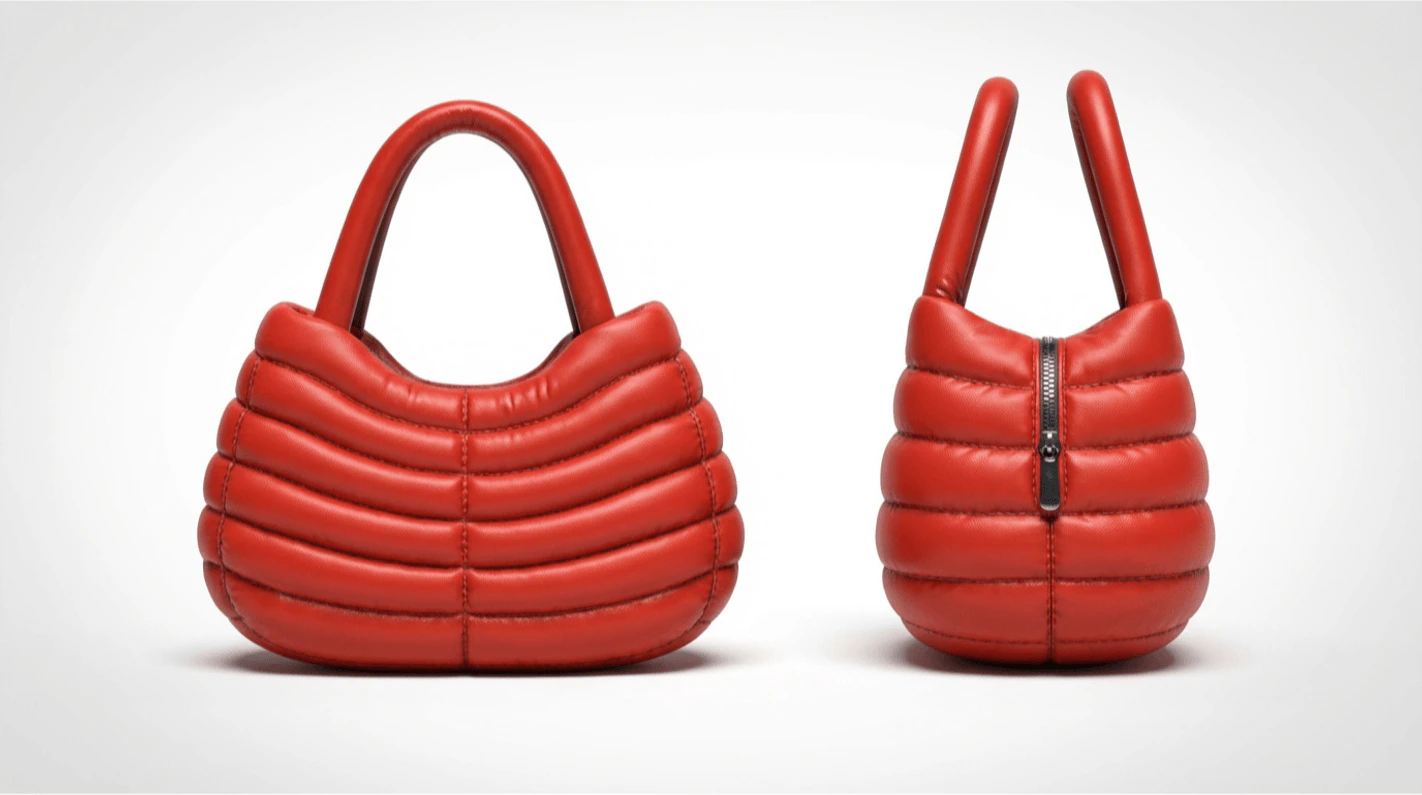
Color Match ensures that the colors you’ve sketched are accurately preserved using the Create Panel’s “Render” tool. Vizcom uses your original hue intent while enhancing material realism and detail.
This feature is designed for both new and experienced users working with colored sketches who need precise, consistent hues—especially in footwear, apparel, and product design.
Use Color Match when maintaining exact color fidelity is important for presentations, concept validation, or production workflows.
## How to use Color Match
 ## Tips for using Color Match
Use multiple prompt boxes to quickly explore different design directions from the same base concept.
* Lookbooks
* Presentations
* Tech packs
* Stakeholder reviews
Using color match allows you to :
* Keeps your colors coherent across renders and iterations
* Reduces post-process adjustments
* Speeds up review and approval cycles
* Improves confidence in visual accuracy
## Next Steps
* Explore Palettes to build brand-specific color systems (see Make Your Own Palette)
* Try Color Variation to generate alternate colorways from a base concept
## Tips for using Color Match
Use multiple prompt boxes to quickly explore different design directions from the same base concept.
* Lookbooks
* Presentations
* Tech packs
* Stakeholder reviews
Using color match allows you to :
* Keeps your colors coherent across renders and iterations
* Reduces post-process adjustments
* Speeds up review and approval cycles
* Improves confidence in visual accuracy
## Next Steps
* Explore Palettes to build brand-specific color systems (see Make Your Own Palette)
* Try Color Variation to generate alternate colorways from a base concept