

Render
The original sketch-to-render tool: Render turns a sketch into an image from a prompt and a style, and Refine varies an existing image.Mix
Blends 2 to 5 connected images, each with a 0 to 100 slider. Instead, select the images, press Q and write “Combine the silhouette of @1 with the materials and colors of @2”.Styles
A style sets the look of a legacy render and works only in Render; styles were once called palettes.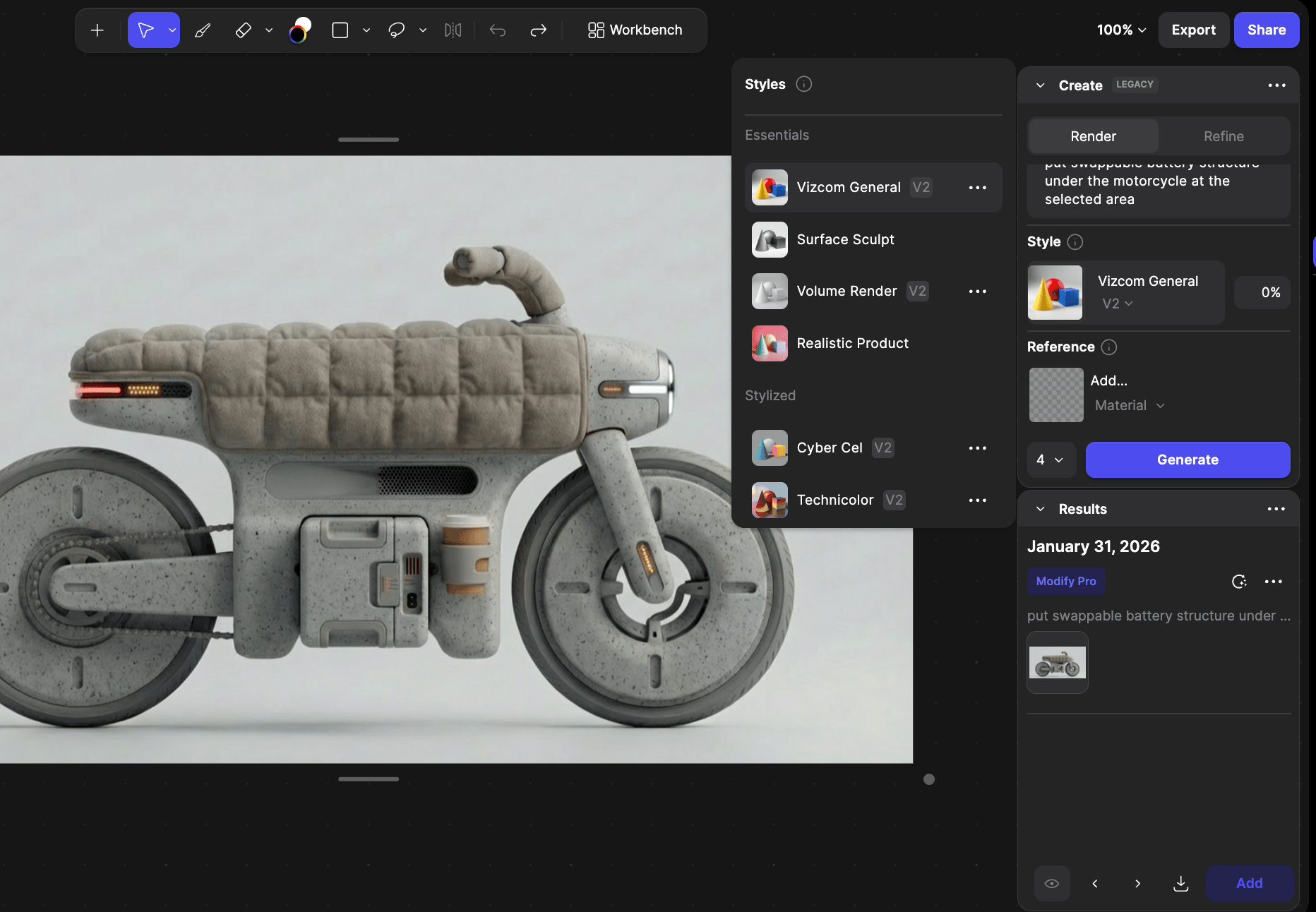
The style picker open from the Create (Legacy) tab.
- Pick one: click the current style, choose a style, and set its strength in the % field.
- Train one: add Insert (+) > Style, upload up to 30 images that share one look, and click Train.
- Your plan sets how many trained styles you can keep. See Plans.
Other legacy controls
Prompts for Render and Refine
Describe the whole image, not a change, in a few comma-separated words: “silver aluminum teapot, side view, on a wooden table, studio background”. Weight a phrase with(phrase:1.3), staying between about 0.5 and 1.5.
Drawing Influence
How closely a result follows your sketch, from 0% to 100%; start at 70 to 100% for a resolved sketch. In Modify, say what must stay the same instead.Color-Match
Keeps your sketch’s colors and locks the style to Realistic Product; flat color fills work best.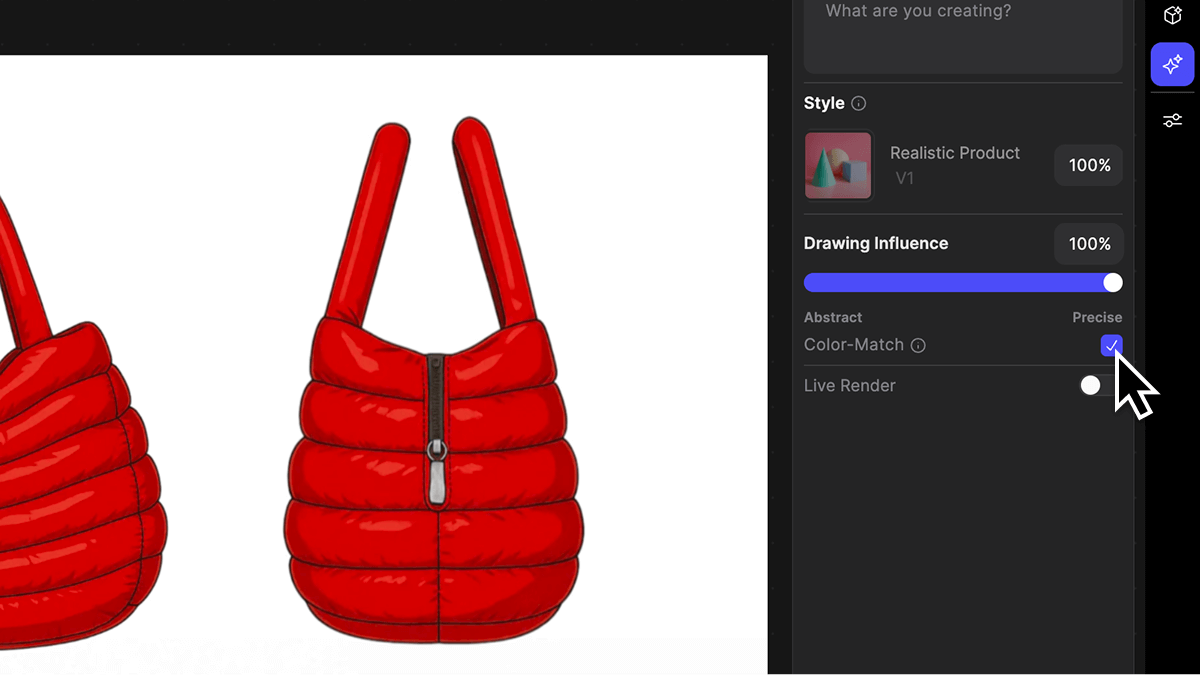
Color-Match switched on, with the style locked to Realistic Product.
Reference (legacy)
Reference > Add… guides a render with one image as Style, Material, Color, Try On or Environment. Instead, connect reference images to a Modify block.Live Render
Updates a preview as you draw, at no credit cost.Refine mode
Varies a render or color-blocked sketch while keeping its colors and structure. Instead, use Describe your changes or Variate > Form.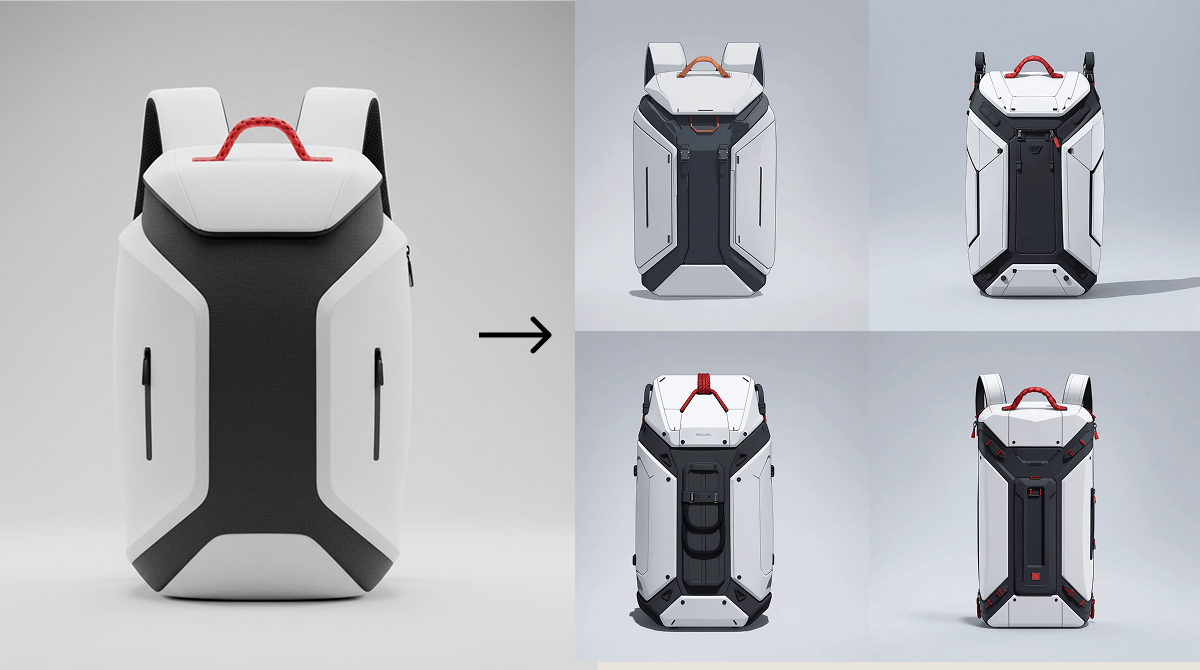
A render (left) and four Refine variations of it (right).