

Speed up your workflow with keyboard shortcuts
Use keyboard shortcuts to navigate faster, access tools instantly, and stay in your creative flow.When to use keyboard shortcuts
Keyboard shortcuts help you perform common actions quickly and efficiently while working in Vizcom. They allow you to switch tools, navigate the canvas, and edit your work without interrupting your creative process. This feature is useful for both new and experienced users who want to improve speed, efficiency, and precision when sketching, rendering, or editing. Use keyboard shortcuts when working frequently in Vizcom to reduce repetitive clicks and build faster, more fluid workflows.How to access keyboard shortcuts
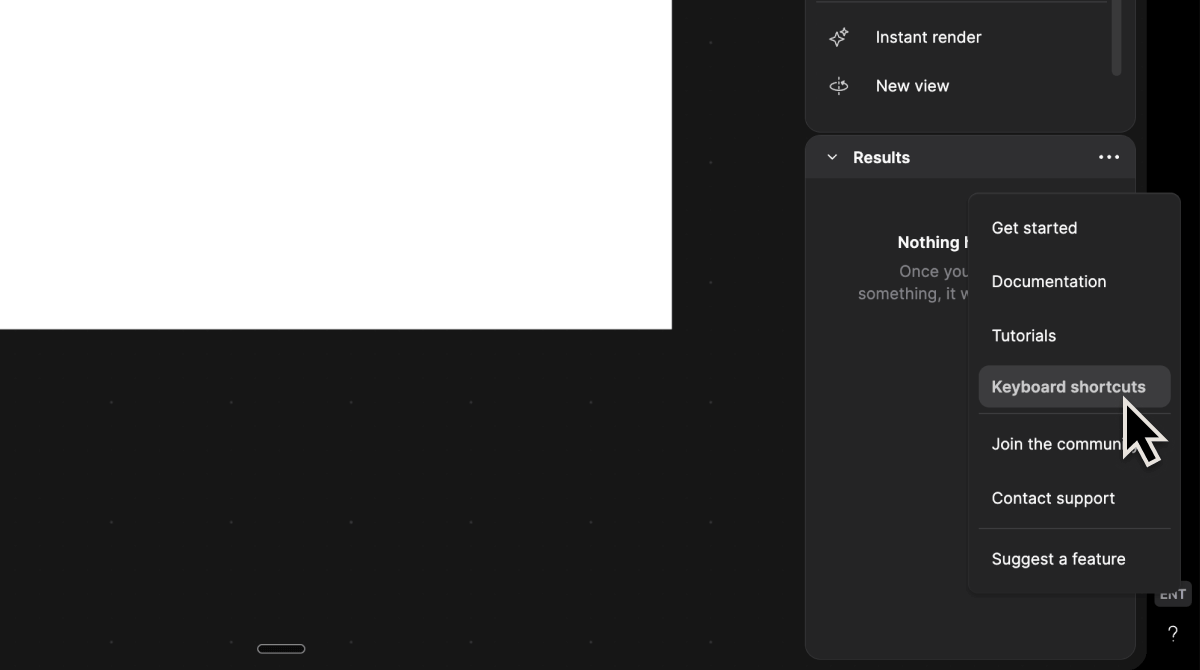
1
Open the Help menu and Select Keyboard Shortcuts
This will open the full list of available shortcuts for your current workspace.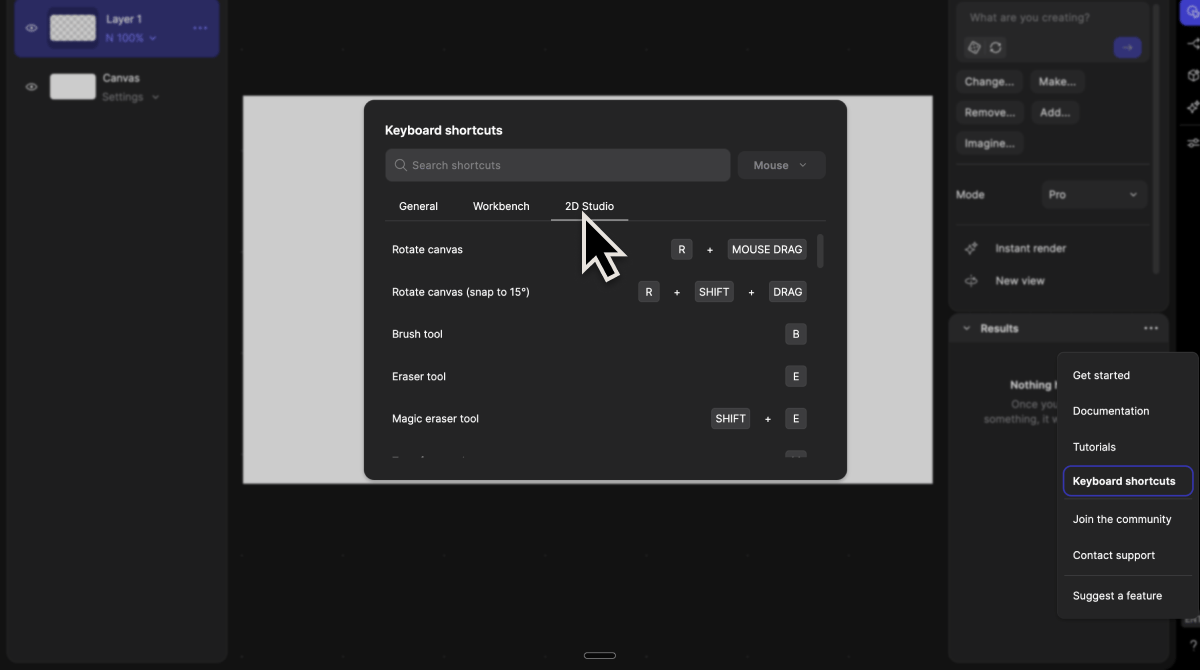
2
Use shortcuts while working
Most shortcuts follow familiar patterns used in industry-standard creative tools, making them easy to adopt and implement into your design workflow.