

Managing your Vizcom Data
The Data page gives admins a detailed view of usage across their organization, workspace, or team. It is only accessible to admins — Org Admins, Workspace Admins, and Team Admins — and is not visible to Editors or Viewers. Data is available at three levels: organization-wide, workspace-specific, and team-specific. Navigate to Settings at the relevant level to access the Data page for that scope. Use Data when you want to understand how members are generating content, track who is accessing the platform and from where, or audit actions taken across files and drawings.How to access your Vizcom Data
Accessing Data:Navigate to Settings at the org, workspace, or team level.
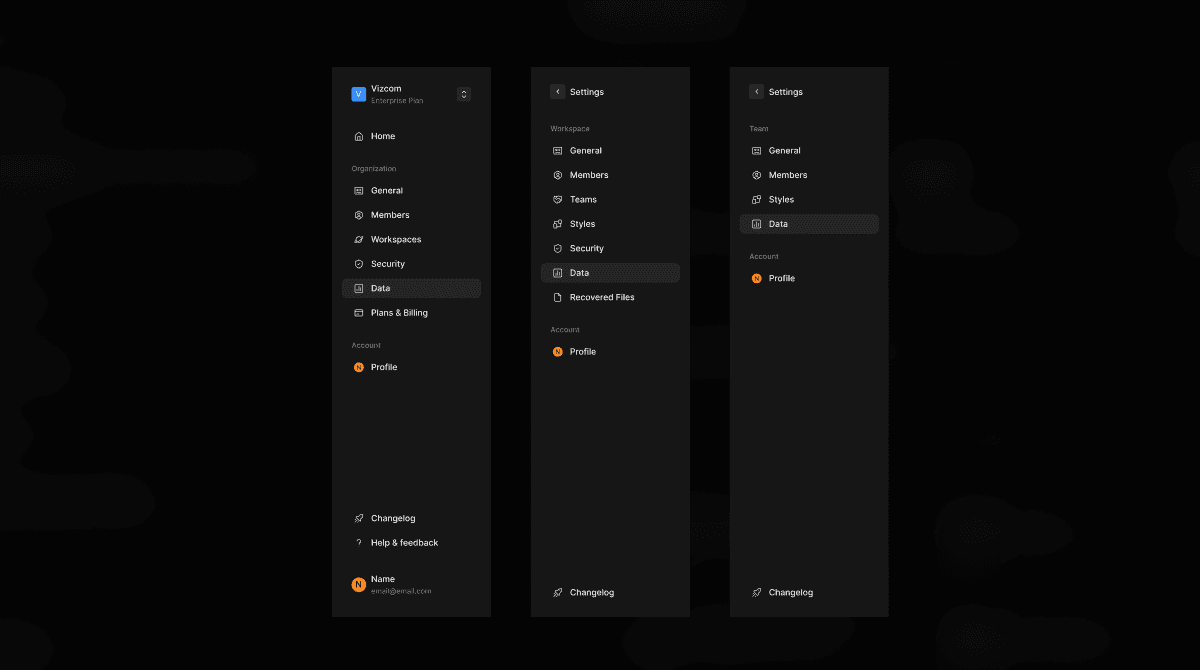
Select Data from the left sidebar.
Use the tabs at the top to switch between Generation Activity, Access logs, and Activity logs.
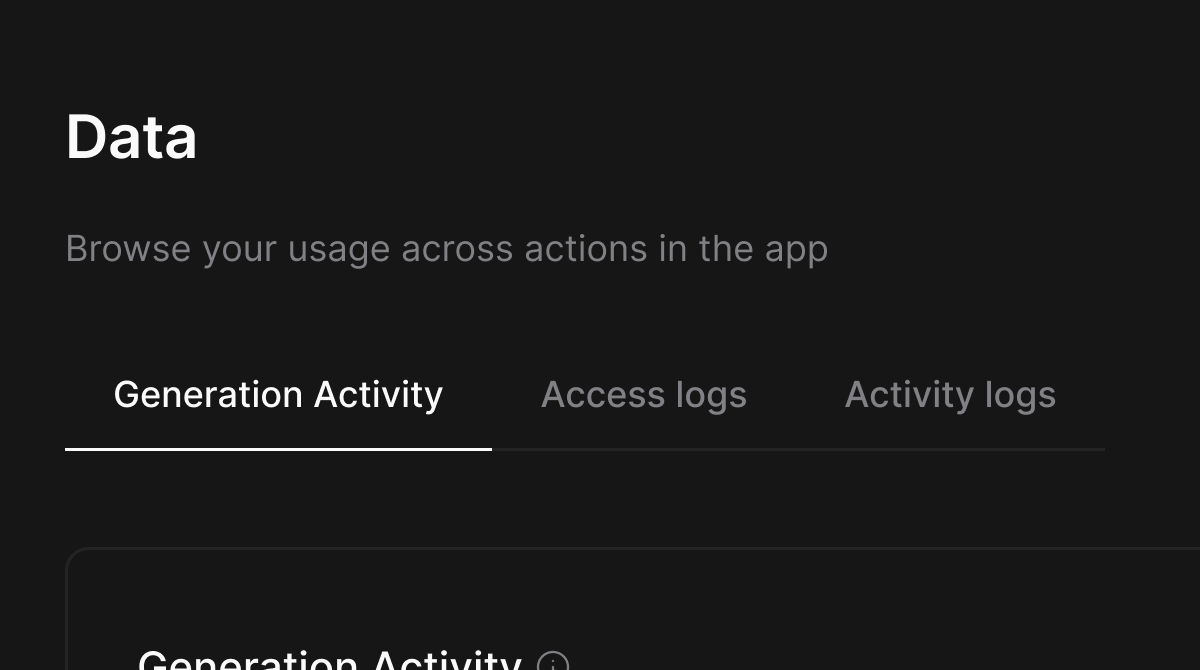
Select the Generation Activity tab.
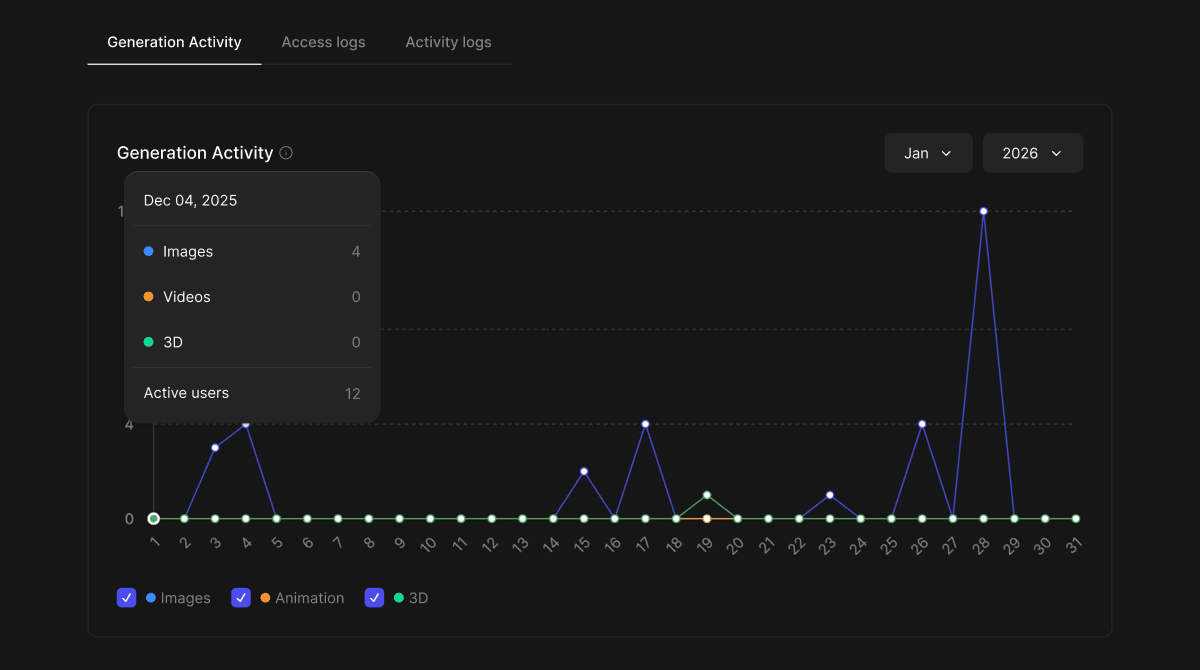
Use the month and year dropdowns in the top right of the chart to navigate to a specific time period.
The chart plots daily generation counts across three types: Images, Animation, and 3D.
Use the legend toggles at the bottom of the chart to show or hide individual data series.
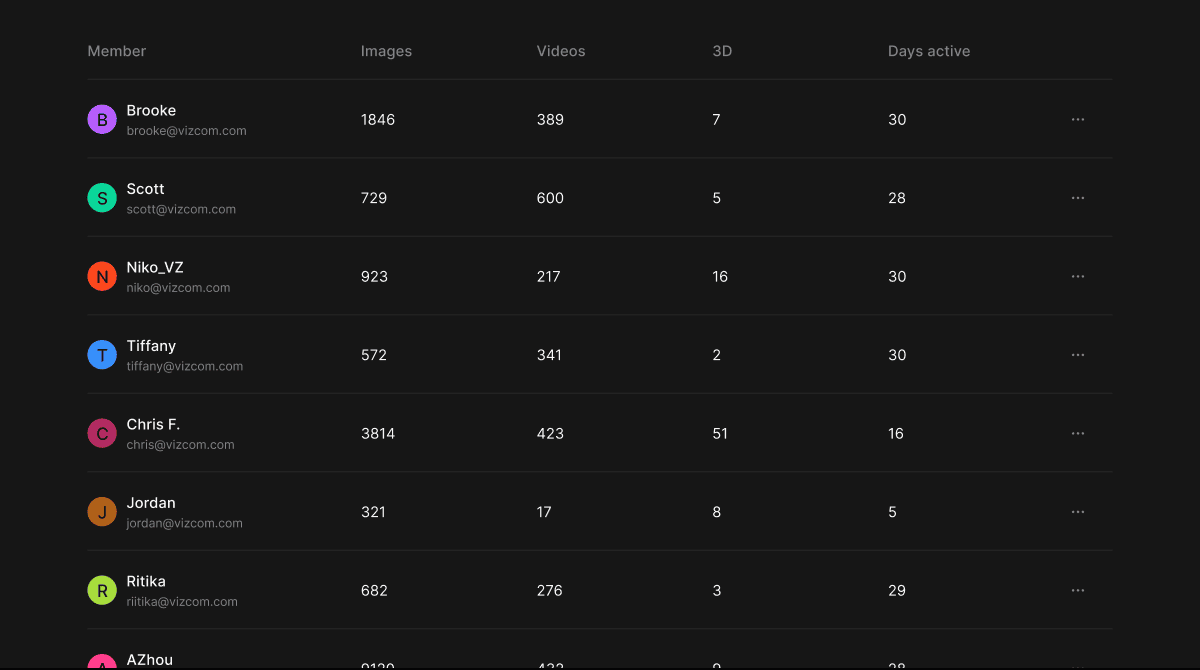
Below the chart, a member breakdown table shows each member's total Images, Videos, and 3D generations, along with the number of days they were active in the selected period.
Select the Access logs tab.
Use the Search by email field to filter logs by a specific member.
Use the time range dropdown to filter by a preset period, such as Last 30 days.
Each log entry shows the member's email, the date and time of access, their IP address, and the device and browser they used.
Click Export to download the access log data.
Select the Activity logs tab.
Use the Search by email field to filter logs by a specific member.
Use the time range dropdown to filter by a preset period.
Use the All actions dropdown to filter by a specific action type.
Each log entry shows the member's email, the date and time of the action, the action taken (such as Updated file or Created drawing), and the target file or asset.
Click Export to download the activity log data.
Core Features
Generation Activity
- A time-series chart showing daily AI generation counts across Images, Animation, and 3D for the selected month. Below the chart, a per-member breakdown table shows individual generation counts by type and the number of days each member was active. Use the month and year selectors to review historical data.
Access Logs
- A paginated log of every instance a member has accessed Vizcom, showing their email, the date and time, IP address, and device and browser. Searchable by email and filterable by time range. Can be exported for external reporting.
Activity Logs
- A paginated log of actions taken by members across files and drawings, showing the member’s email, date and time, action type, and the target file or asset. Searchable by email and filterable by time range and action type. Can be exported for external reporting.
Tips & FAQ
FAQ
- ** Who can access the Data page?**
- Data is only accessible to admins. Editors and Viewers do not have access to this page.
- What is the difference between Access logs and Activity logs?
- Access logs record when a member logs into or accesses Vizcom, including their IP address and device. Activity logs record actions members take within the platform, such as creating or updating files and drawings.
- Can I filter logs to a specific member?
- Yes. Both Access logs and Activity logs include a Search by email field that lets you filter the log to a specific member’s activity.
- How far back does the log data go?
- Logs can be filtered by time range using the dropdown. The default view shows the last 30 days.
Next Steps
- Use the Export button to share generation or activity reports with your team or organization.
- Cross-reference Access logs with Activity logs to get a complete picture of a specific member’s usage.
- Review Generation Activity monthly to track how AI usage is growing across your workspace or team.