Find a renamed or moved tool or setting; recent changes are on What’s new.

Variate and Extract

Since October 15, 2026, open them from Insert (+) 1 > Variate 2 or Extract 3, or from an image’s + handle.
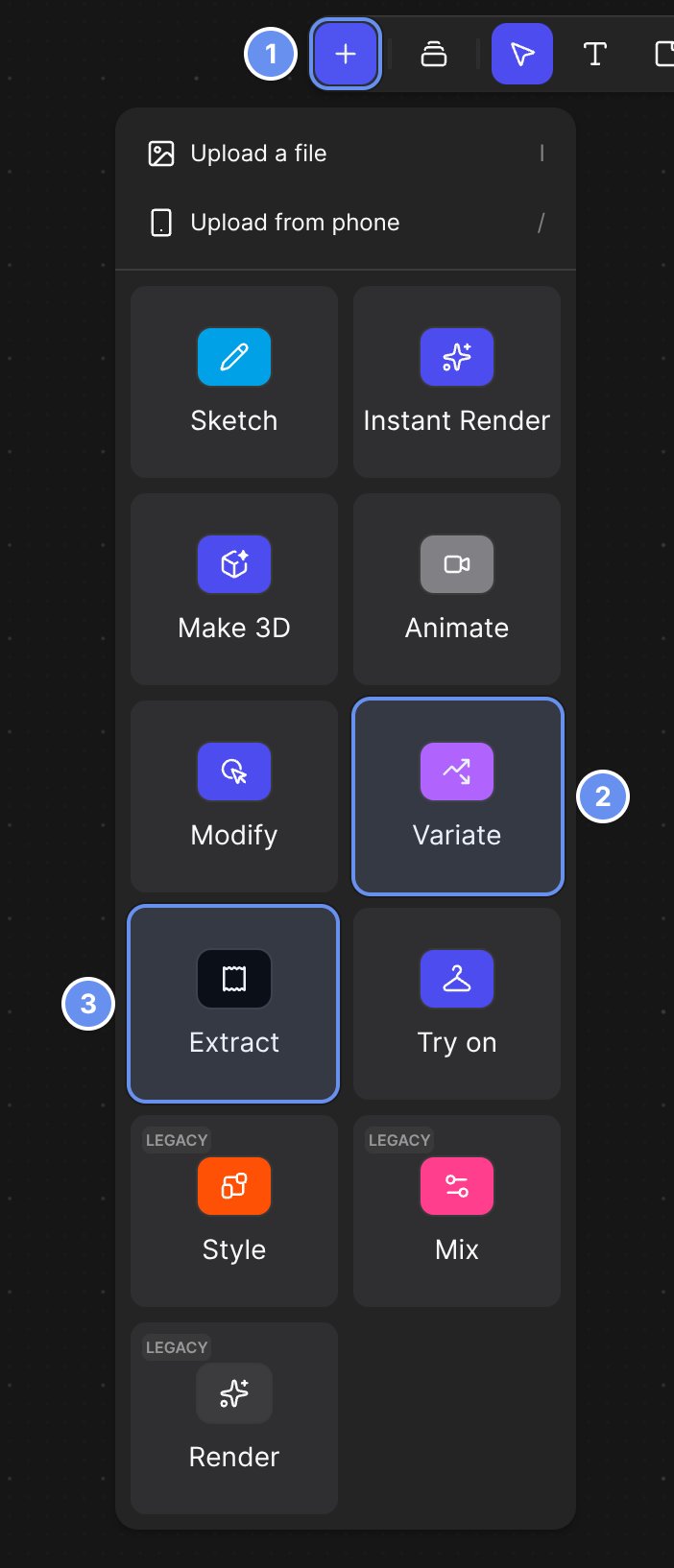
The Insert (+) menu open below the top toolbar, with Insert marked 1, the Variate tile marked 2 and the Extract tile marked 3. The menu lists Upload a file and Upload from phone, then tiles for Sketch, Instant Render, Make 3D, Animate, Modify, Variate, Extract, Try on and the legacy Style, Mix and Render blocks.

Insert (+) (1), with the Variate (2) and Extract (3) tiles.
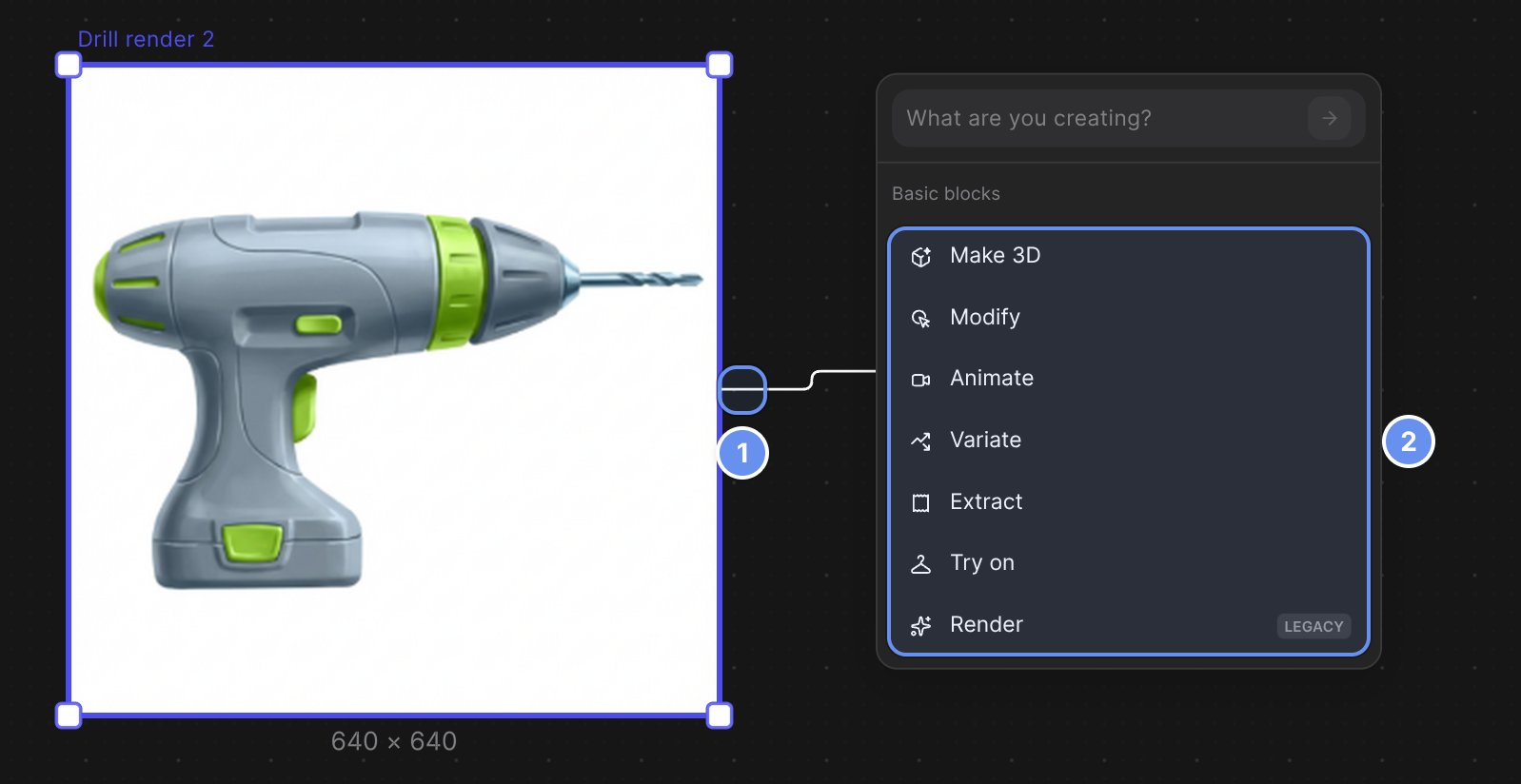
A line dragged from the + handle on the right edge of a drill render, marked 1, to a menu with a What are you creating? box and, marked 2, the Basic blocks list: Make 3D, Modify, Animate, Variate, Extract, Try on and Render (LEGACY).

The + handle menu: drag from the handle (1) and choose a block (2).

Security settings labels

Settings > Security was regrouped on October 16, 2026.

Renamed or moved

Where to find common things