

Who can apply
Enrolled students, and faculty who teach design, at a post-secondary school. You need your school email and proof such as a student ID or employment letter.Apply
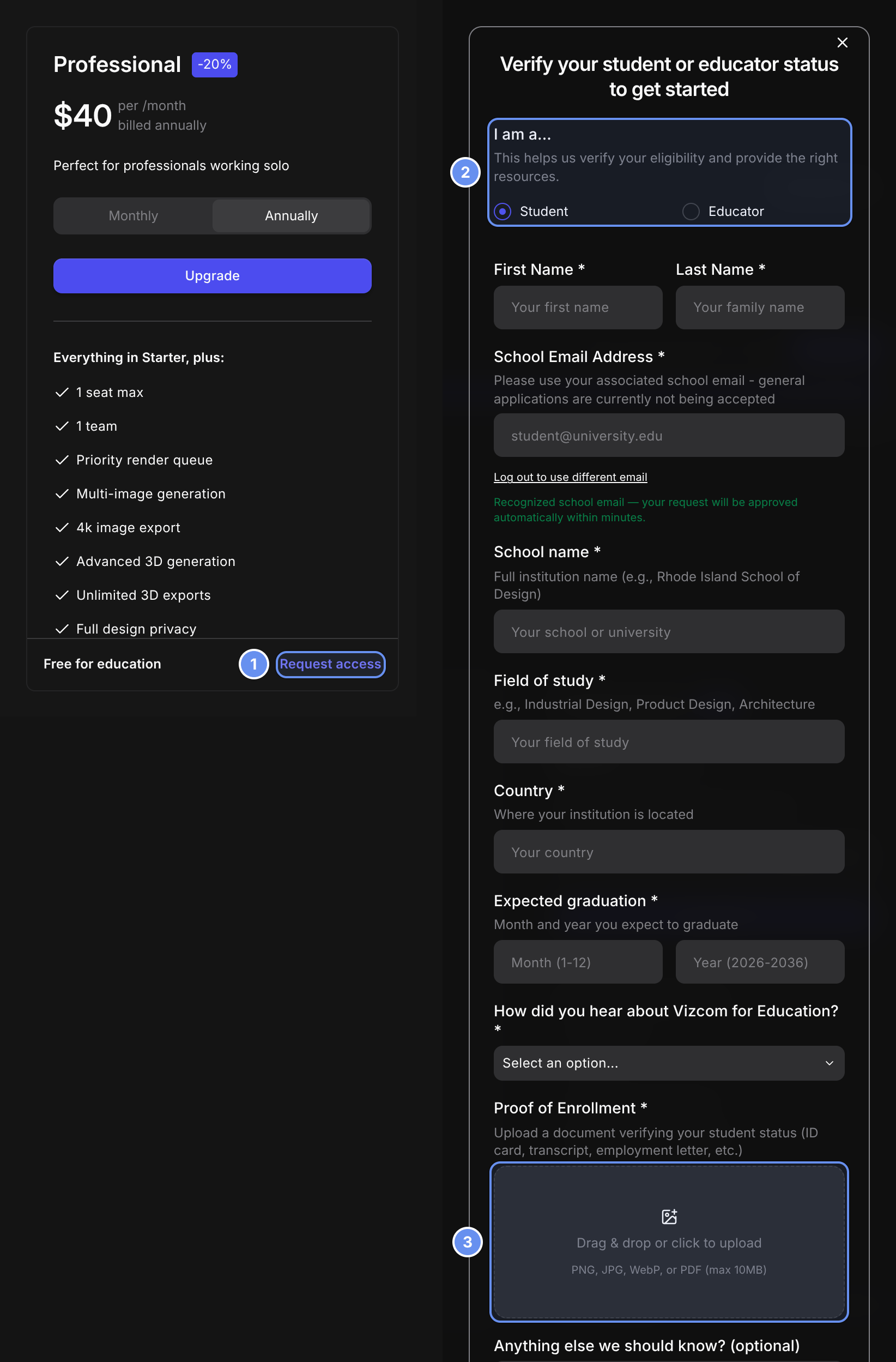
Request access (1), Student or Educator (2) and your proof (3).
1
Request access
As Workspace Admin, open Settings > Plans & Billing and click Request access 1 on the Professional card.
2
Fill in the form
Choose Student or Educator 2, add your school, and upload your proof 3.
3
Submit
Submit the form. With a recognized school email, the workspace moves to Edu straight away.
What’s included
- Credits: 15,000 a month per editor seat, pooled. Workspace Admins can buy add-ons.
- Seats: up to 100 editors, free.
- Not included: New view Batch, the Data page and Security settings.
Renewals
A Renew plan banner appears 30 days before the term ends. If it lapses, the workspace moves to Free and files stay. Moving to Professional keeps one editor seat; other Workspace Admins and Editors become Viewers.