How Vizcom handles your data, and the admin controls in Settings > Security.

AI training and ownership

  • Paid plans (Pro, Organization, Enterprise): not used to train Vizcom’s models.
  • Free: generated images may be used to improve Vizcom’s services.
  • Ownership: you own what you create.
Prompts and images go to AI providers that run models for Vizcom. The Terms of Service, or your Vizcom agreement, are binding.

Where your data is stored

Encryption: AES-256 at rest, TLS 1.3 in transit. Direct file links work without signing in, so treat them like the file. Retention: Trash has no automatic purge, and logs are kept 12 months.

Workspace security settings
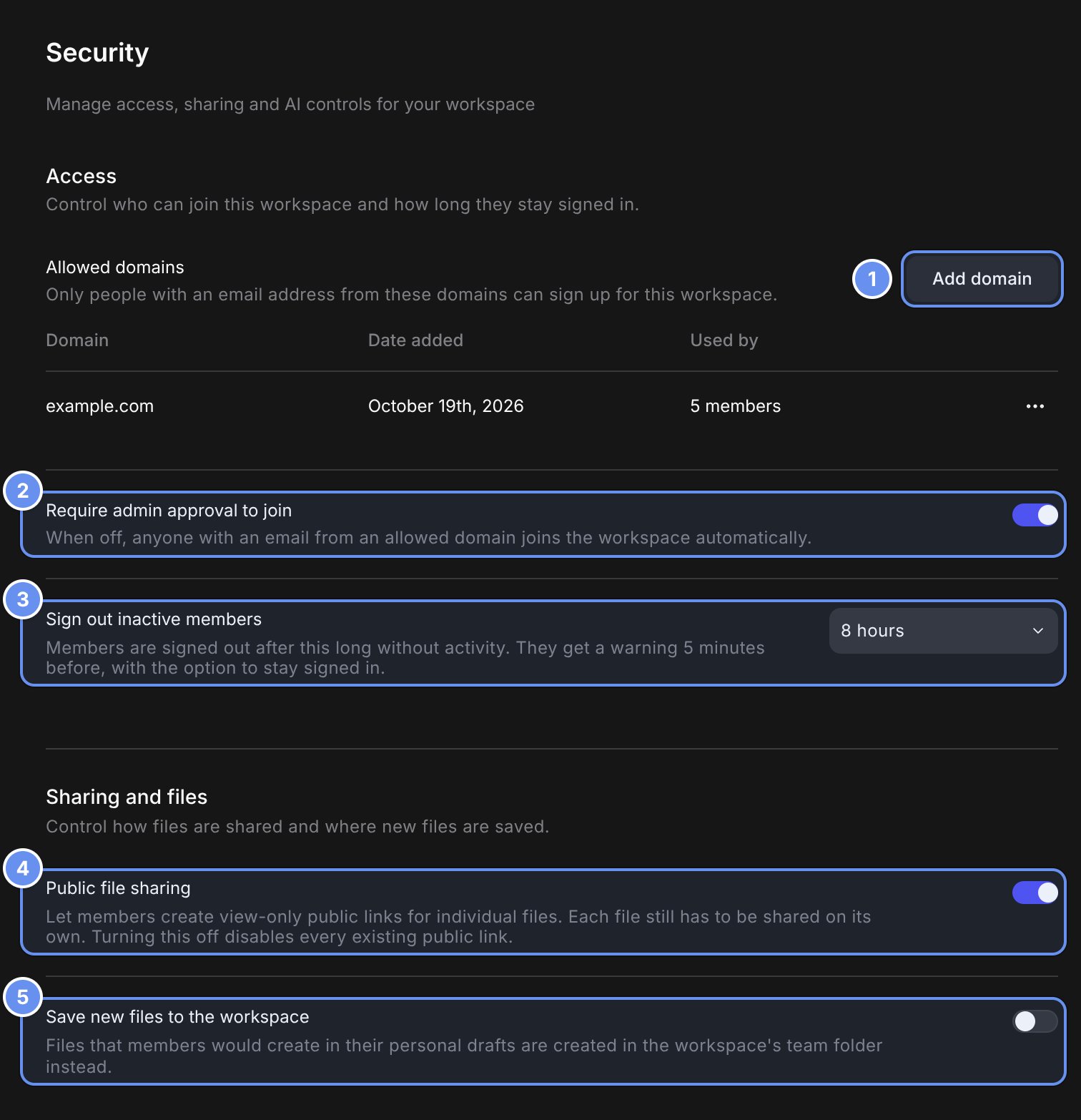
The top of the Security page. The Access section shows Allowed domains with Add domain and example.com, Require admin approval to join on, and Sign out inactive members set to 8 hours. The Sharing and files section shows Public file sharing on and Save new files to the workspace off. Callouts 1 to 5 mark each control.

Add domain (1), join approval (2), session timeout (3), public links (4), save to workspace (5).

Allowed domains

Click Add domain 1 and enter one or more domains. With approval off, people join as Editors while seats last, then as Viewers.

Session timeout

Choose Never or a preset from 1 to 24 hours. It also caps each sign-in, and a person’s shortest timeout applies everywhere. Turning Public file sharing off disables links without revoking them: turned back on, old links work again. Links never expire and have no password.

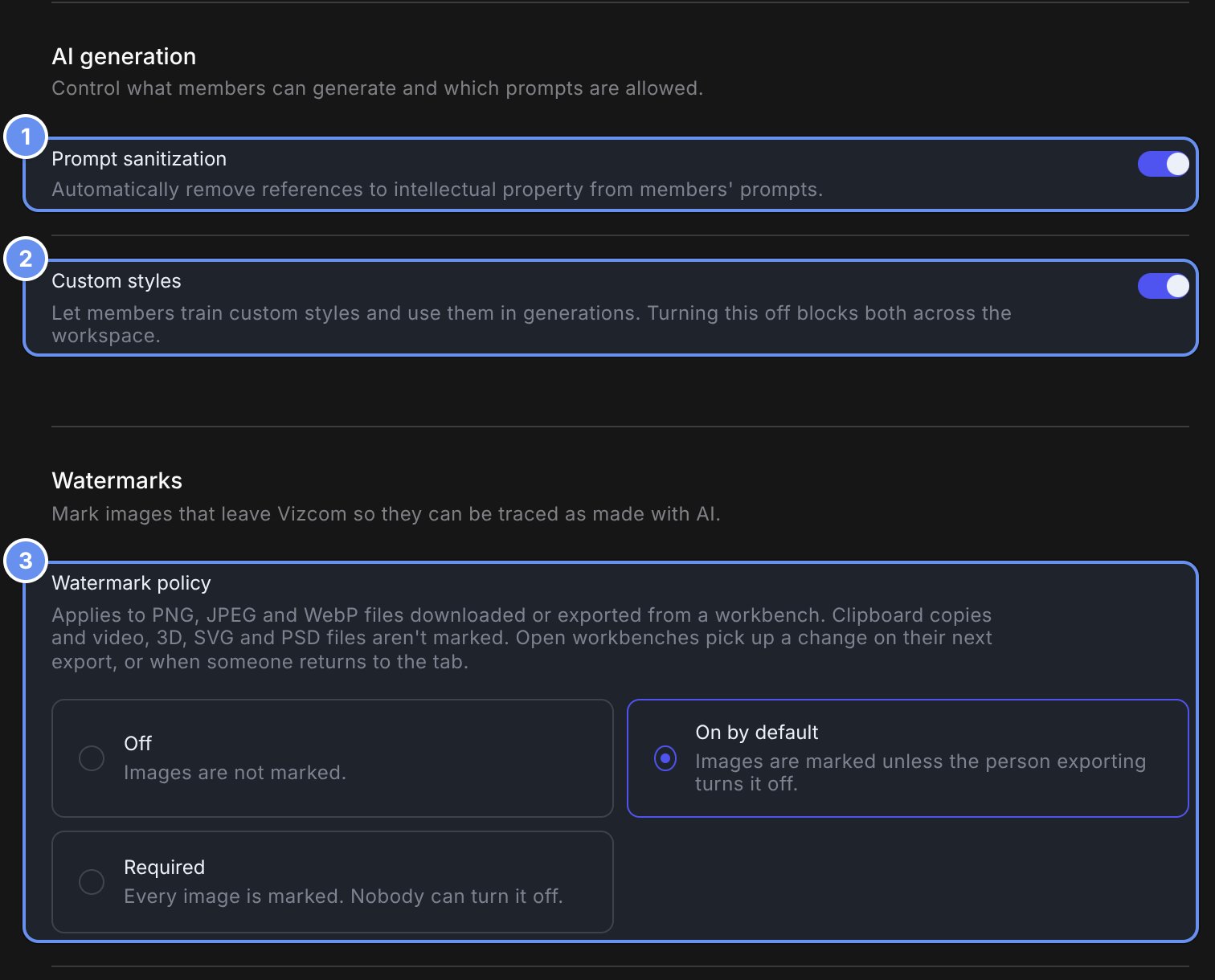
Watermarks

The AI generation section of the Security page with Prompt sanitization and Custom styles on. Below, the Watermarks section shows Watermark policy with Off, On by default and Required, On by default selected. Callouts mark 1 Prompt sanitization, 2 Custom styles and 3 Watermark policy.

Prompt sanitization (1), Custom styles (2) and Watermark policy (3).

Watermark policy 3 is Off, On by default (members can untick it) or Required. Set the text (default “AI Generated Image”), placement and logo.

Compliance

Vizcom states it is ISO 27001, ISO 27017 and SOC 2 Type II certified and GDPR compliant; reports at trust.vizcom.com. There’s no built-in multi-factor sign-in (enforce it through SSO), SCIM, IP allowlisting, DNS domain verification or configurable retention.