

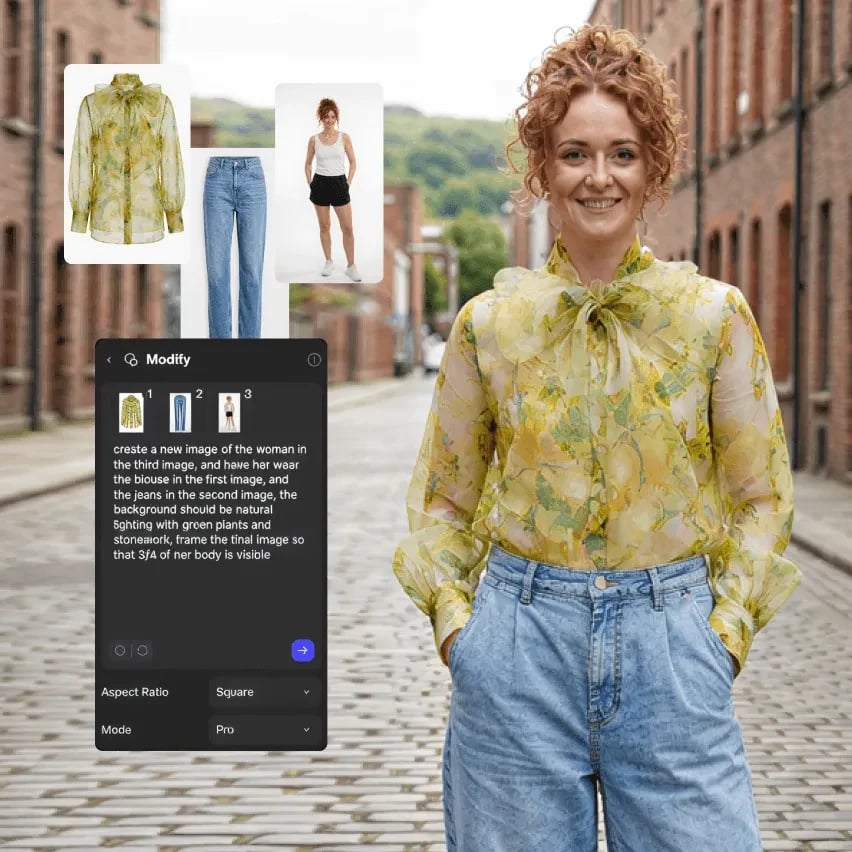
The new garment on a model, in a real setting.
Open the template
It opens view-only. Click Duplicate file to edit for your own copy.
Steps
- Upload the photo, press Q and prompt Modify: “Remove the hat, and isolate it on a white background viewed at a side view flat lay.”
- Drag from the garment’s + handle, choose Extract, and pull swatches on the Material and Color tabs.
- Connect the garment as @1 and a reference as @2: “Make a wavy knit pattern of the hat like that of @2” (Reference images).
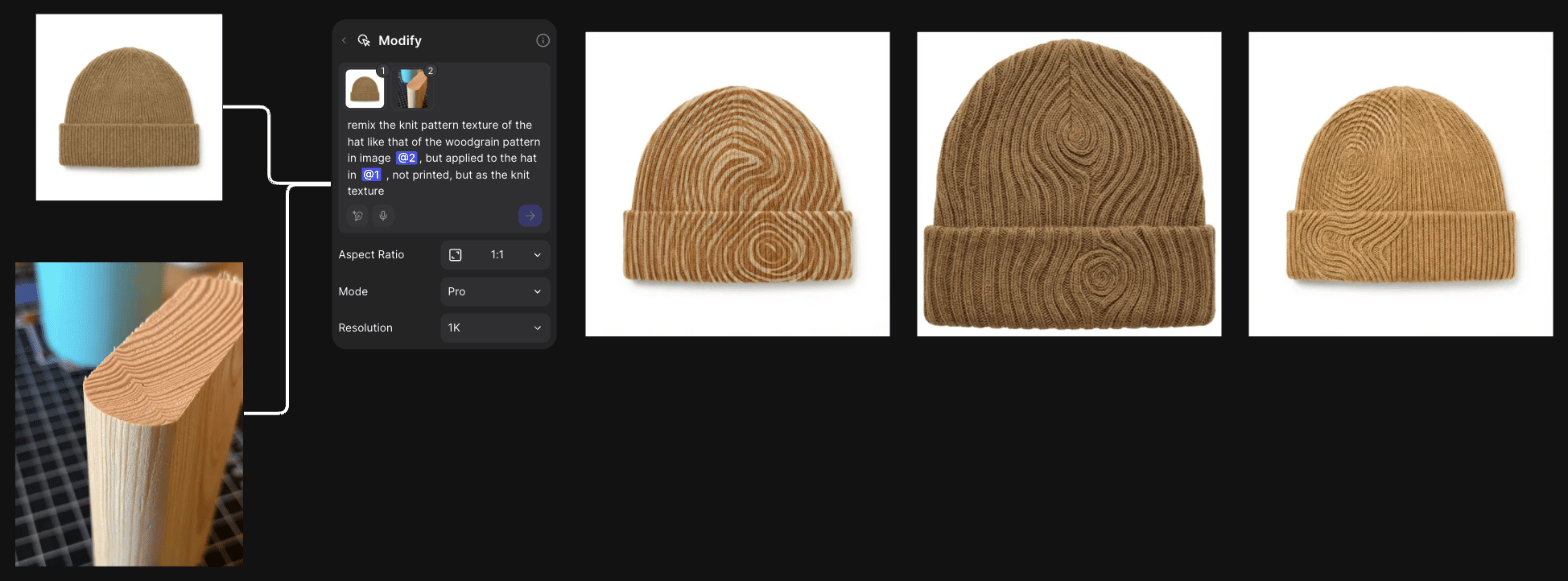
Remixing a garment with a reference: woodgrain becomes a knit pattern.
- Explore colors on the best remix with a Variate block on the Color tab (Color Variation).
- Put it back on the model: “replace the hat in @1 with the hat in image @2”.
- Show it on other models or poses with a Try on block.
- Fix a seam or cuff with a selection in Studio, then export.
Good to know
- A reference brings its colors along. Add “while retaining the color of the hat in image @1” to keep yours.
- Add “not printed” when the reference should become the knit itself, not a flat print.
- Original aspect ratio follows the last connected image. To keep the photo’s framing, move it last and swap @1 and @2.
Related
Footwear
Sketch to a colorway set.
Rendering in context
A product in a scene or a hand.
Place in context
Try on, Unify and scenes.
All workflows
Every workflow.