

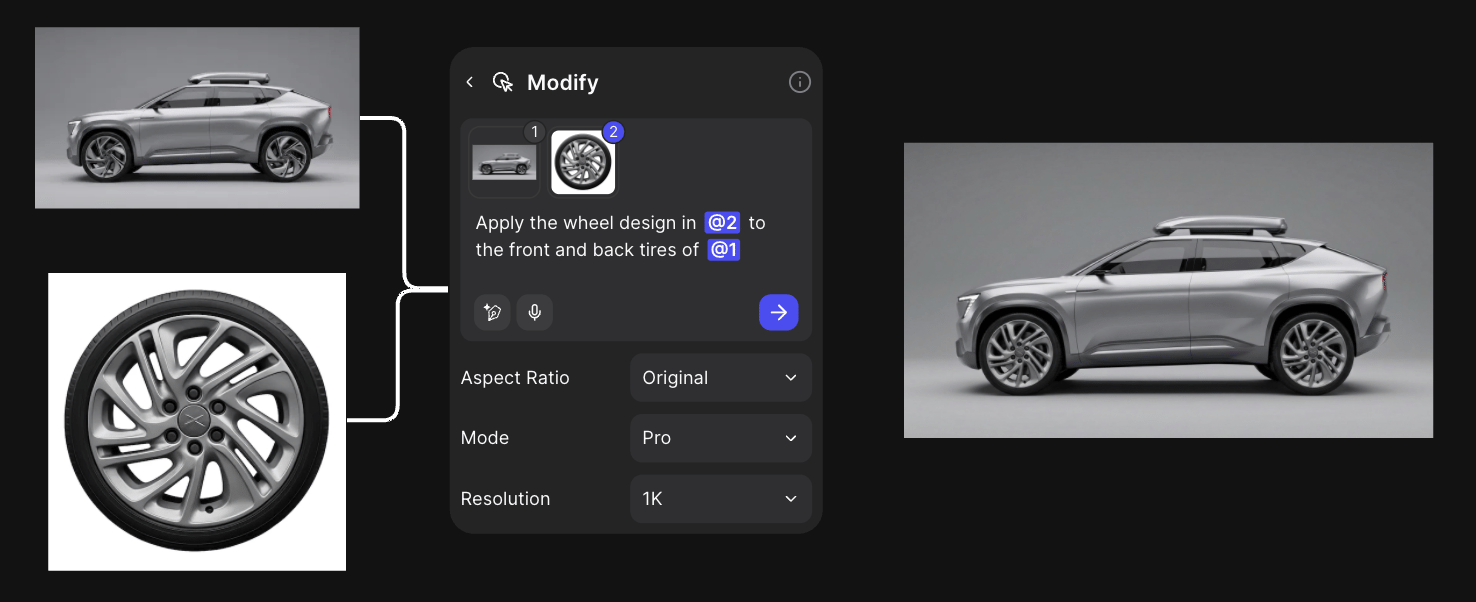
The result: a finished wheel design applied to the vehicle render.
Open the template
It opens view-only. Click Duplicate file to edit for your own copy.
Steps
- Upload the sketch, press Q, set Aspect Ratio to 16:9 and render it with Modify.
- Render it again “as a refined marker rendering” to keep a presentation version.
- Isolate the part: “Isolate the wheel and rim design and view it from a side view on a white background”.
- Drag from the wheel’s + handle, choose Variate, and drag the dot on the Form tab (Form Variation).
- Connect a reference as @2 and say what to take from it (Reference images).
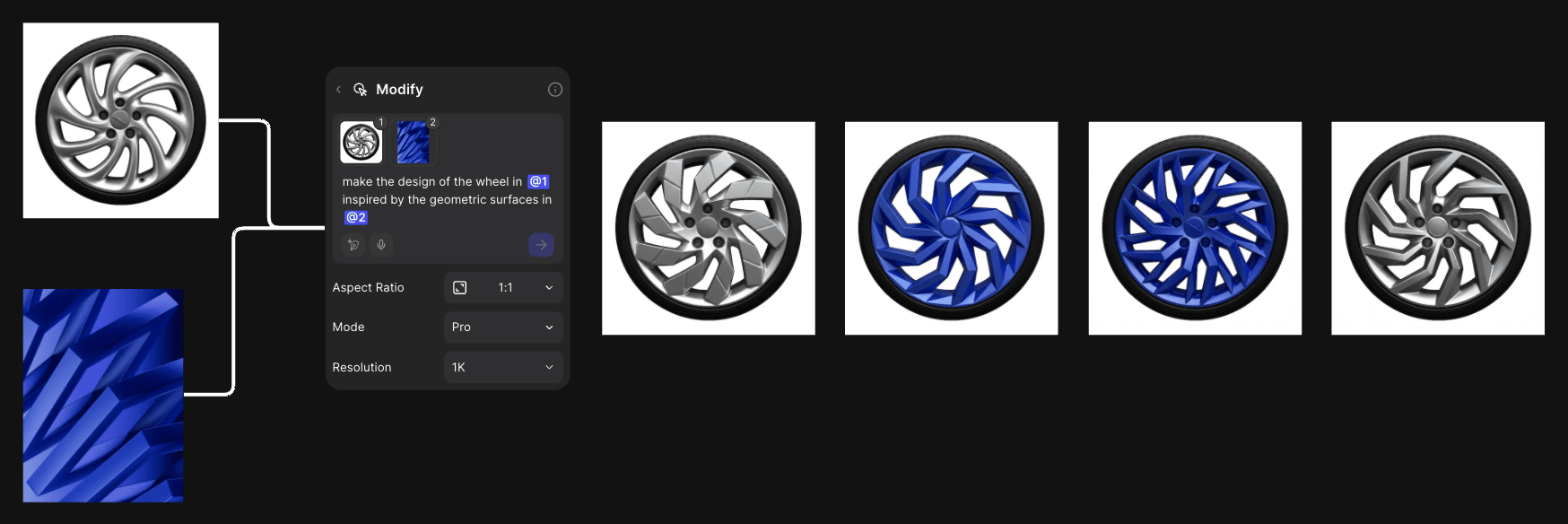
One wheel and one reference image, four directions.
- Connect the car as @1 and the wheel as @2: “Apply the wheel design in @2 to the front and back tires of @1”.
- Make three-quarter views of the final car with New view.
- Upscale and export your selects.
Good to know
- Original aspect ratio follows the last connected image. Set 16:9 to keep the car’s frame.
- Isolate the part on a plain background before you vary it. It’s easier to judge and to apply back.
- Specific opposites, like “Luxury” and “Functional”, steer Variate better than vague ones.
Related
Automotive interior
Line work to cabin hero shots.
Explore variations
Variate and new views.
Edit part of an image
Edit one area.
All workflows
Every workflow.