

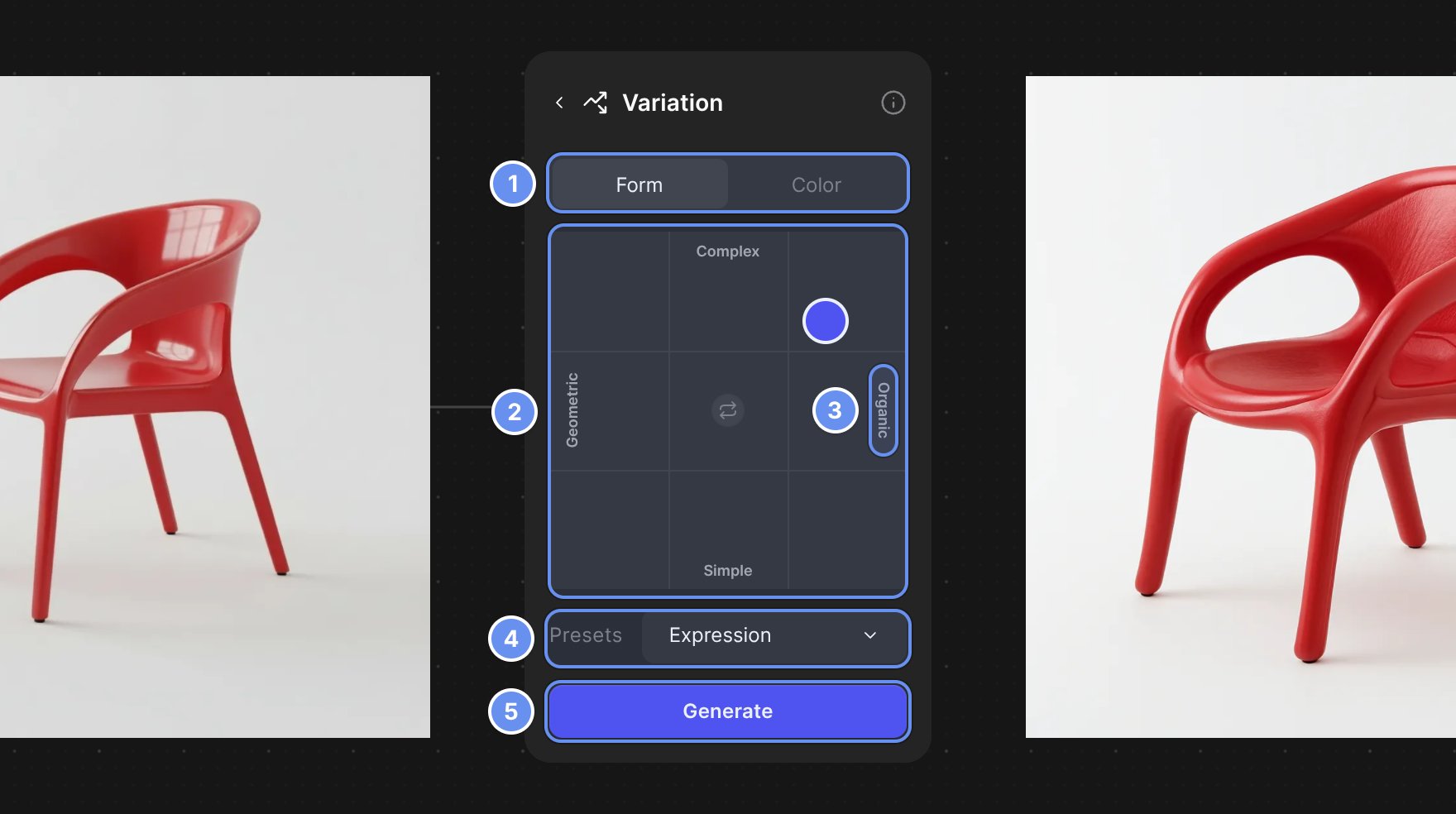
Form tab (1), pad (2), axis label (3), Presets (4), Generate (5).
Use Form variation
1
Add a Variation block
Drag from your image’s + handle, choose Variate and stay on Form 1.
2
Choose the axes
Pick a Presets pair 4, or click an axis label 3 and type your own words.
3
Drag the point
Drag the point on the pad 2. The farther from the center, the bigger the change.
4
Generate
Click Generate 5 for one variation.
Examples
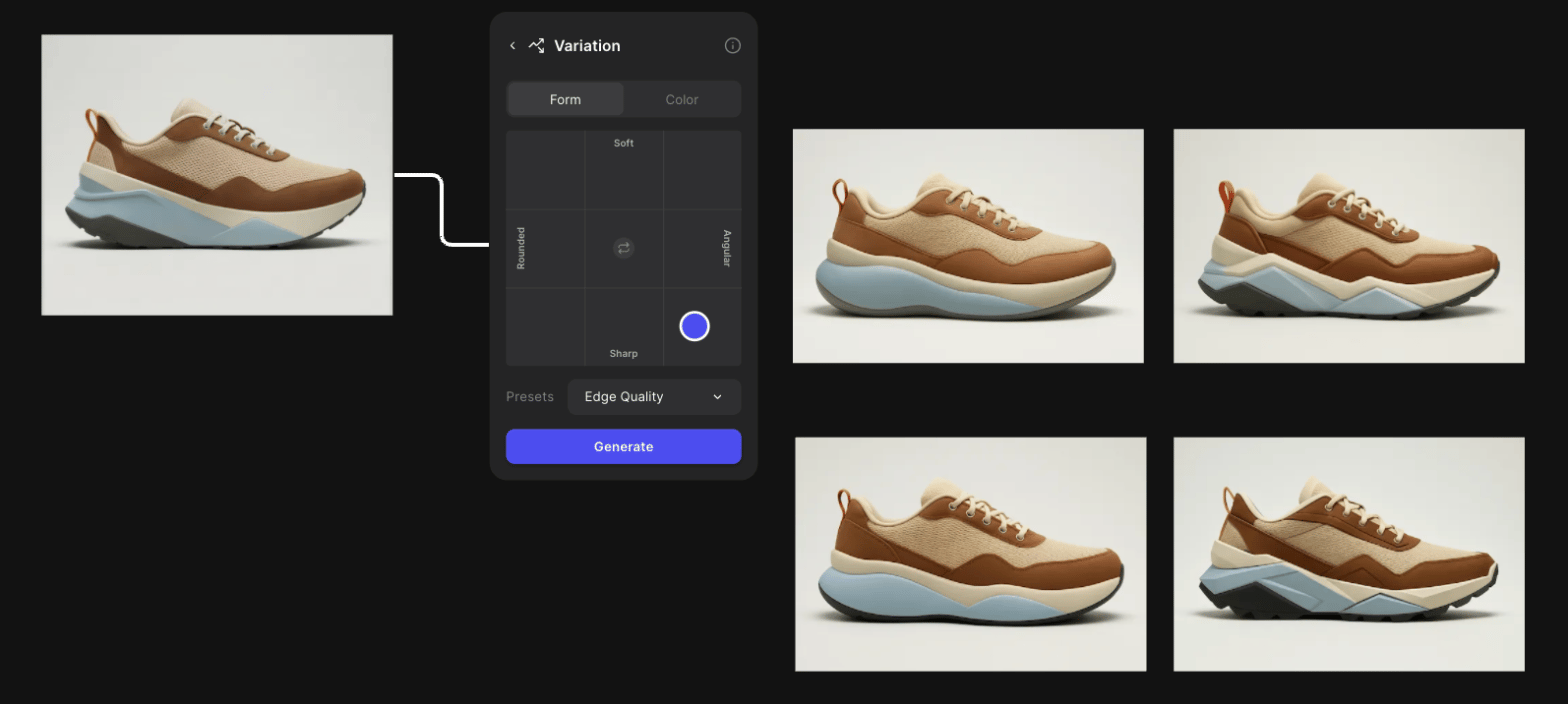
Edge Quality on a sneaker: toward Sharp, the soles get more angular.
Tips
- Generate each corner first to see the range, then make small moves inside the one you like.
- Specific opposites steer better: “Rugged” and “Refined” rather than “Good” and “Bad”.
- Studio’s Outputs makes up to 4 per run; on Free, 2 and 4 open an upgrade prompt.
Related
Explore variations of a design
Forms, views and colorways compared.
Color variation
The Color tab of the same block.
Change expression
Shift a design’s mood with a dial.
Modify
Refine the variation you pick.