

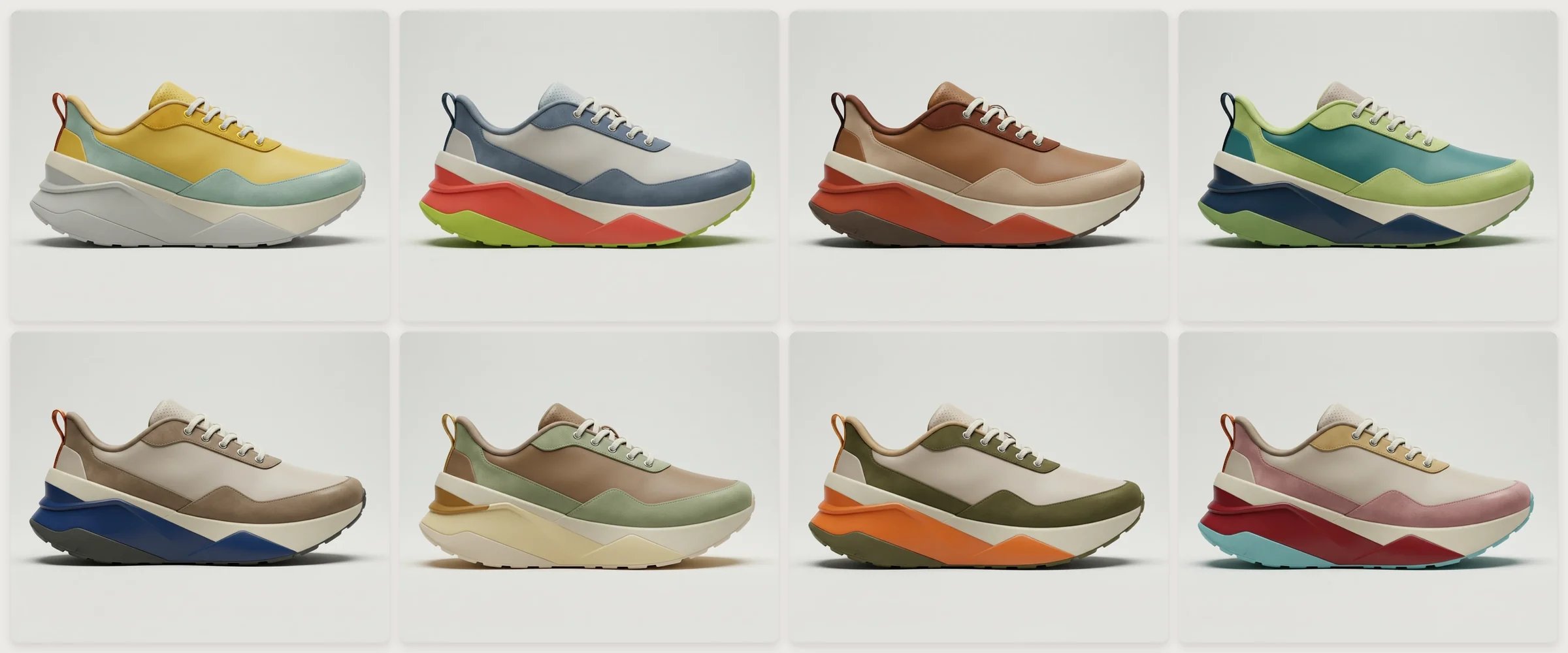
Eight colorways of one running shoe, all from the same side view.
Steps
- Click Library in the toolbar, open Workspace (Enterprise) or My Library, and choose Create folder (Library).
- Open the folder, click + (Add asset) and drop the .ase or .aco file on the Upload tab.
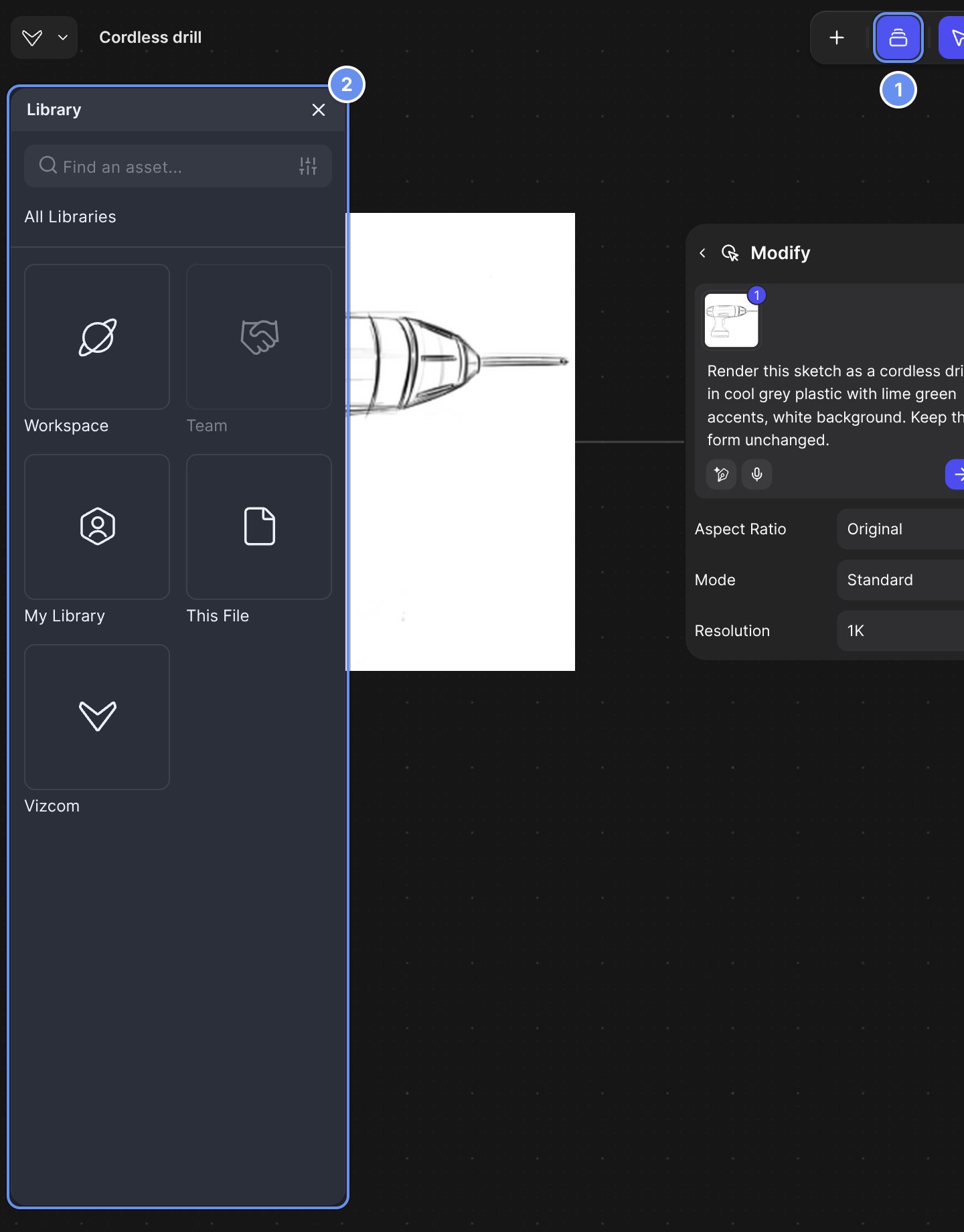
Library in the toolbar (1) opens a panel with every library you can use (2).
- Drag from the render’s + handle and choose Variate (Color Variation).
- On the Color tab, click Access color palette, pick the season’s palette, set a count and click Generate.
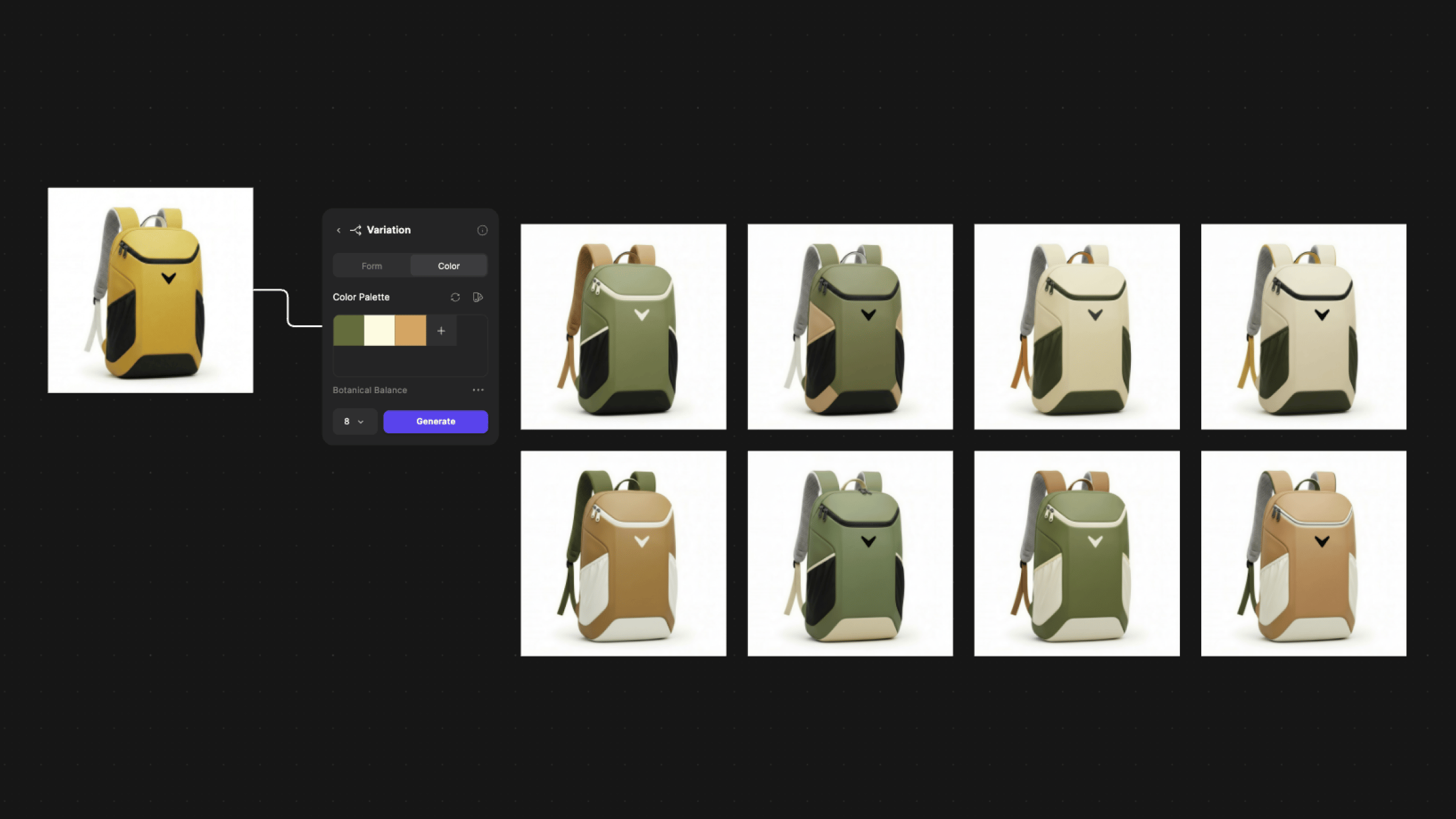
One Variation block on the Color tab with an eight-colorway run.
- Select the base render, press Q and @-mention the season’s folder to make one colorway per swatch (Mentions).
- Click Create Region Map on a colorway to recolor it part by part (Region Maps).
- In All Regions, click Apply Palette or drag a Library color onto one region, then click Generate or Flatten.
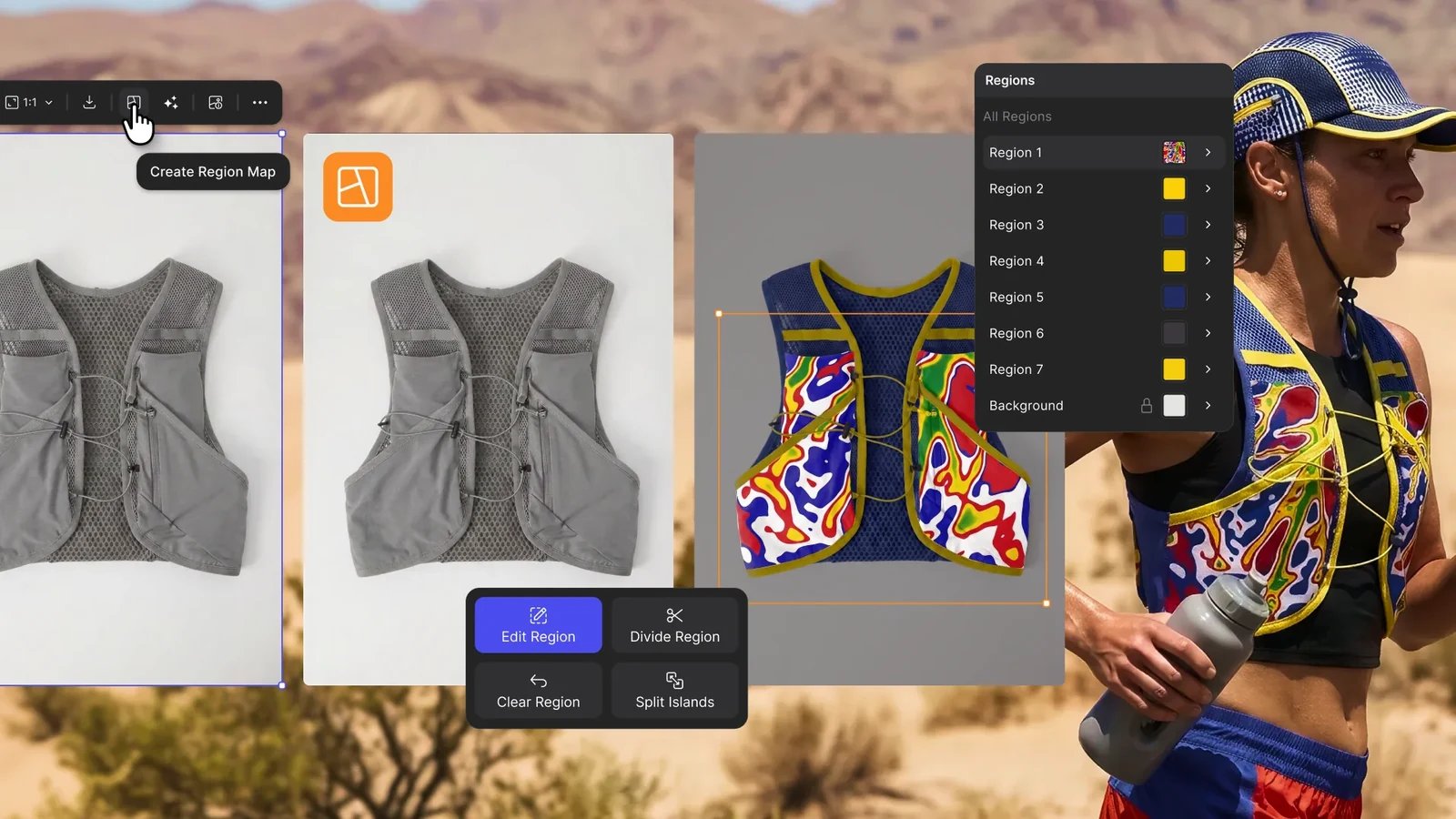
Region Maps splits the product into parts you recolor one by one.
- Select the colorways, click Arrange, press Shift + S for a section and T to label each one (Canvas elements).
- Right-click the section and choose Download assets or Export… (Export).
Good to know
- Settle the form first: colorways on an unsettled form multiply rework.
- Color Variation makes 1 colorway per click on Free, up to 4 on Pro and Edu, and up to 16 on Organization and Enterprise.
- Folder runs use 1K or 2K and ask you to confirm above 10 images. Each colorway uses credits.
Related
Colors and materials
Every way to change colors.
Make a CMF sheet
Add materials and parts.
Region Maps
Every Region Maps control.
Footwear
The full footwear job.