

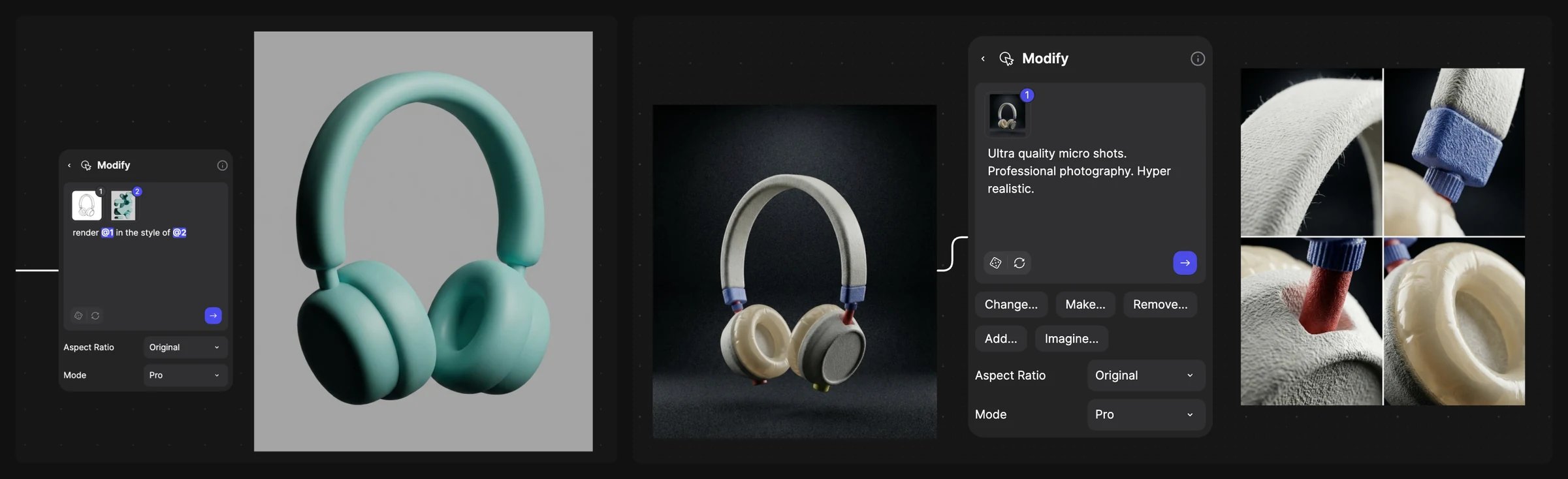
A headphone design restyled from a reference, and macro detail shots.
Open the template
It opens view-only. Click Duplicate file to edit for your own copy.
Steps
- Connect the sketch as @1 and the reference as @2 to one Modify block, and ask to combine them.
- Run a short prompt such as “headphones design” on the result closest to your idea.
- Draw a clean sketch over it in Studio, and render that with a plain material prompt.
- Make views with New view.
- Make colorways with short prompts such as “candy red chrome and red leather.” or a Variate block (Color Variation).
- Show it in use, ending the prompt with “Do not change details about the headphones”.
- Make detail shots: “Ultra quality micro shots. Professional photography. Hyper realistic”.
- Upscale and export your selects.
Good to know
- Spend your effort on the reference: one image with the right feeling does more than a long prompt.
- Build colorways from one clean render, not from each other, so the design doesn’t drift.
Related
Consumer products
Sketch to 3D handoff.
Accessories
Sketch on a model to editorial.
Match a look with references
Reference images and collections.
All workflows
Every workflow.