

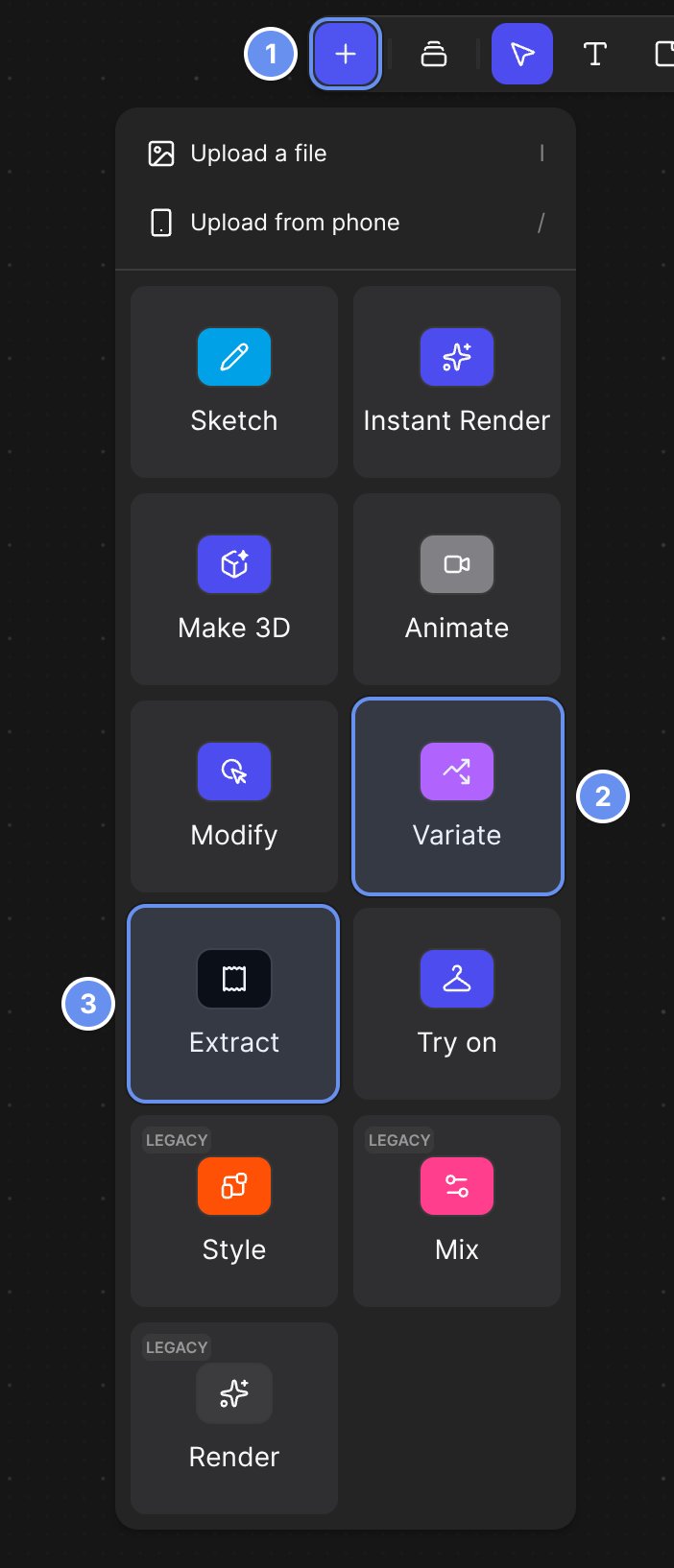
Insert (+) (1), then Variate for colorways (2) or Extract for palettes and materials (3).
Pick a tool
Generate colorways
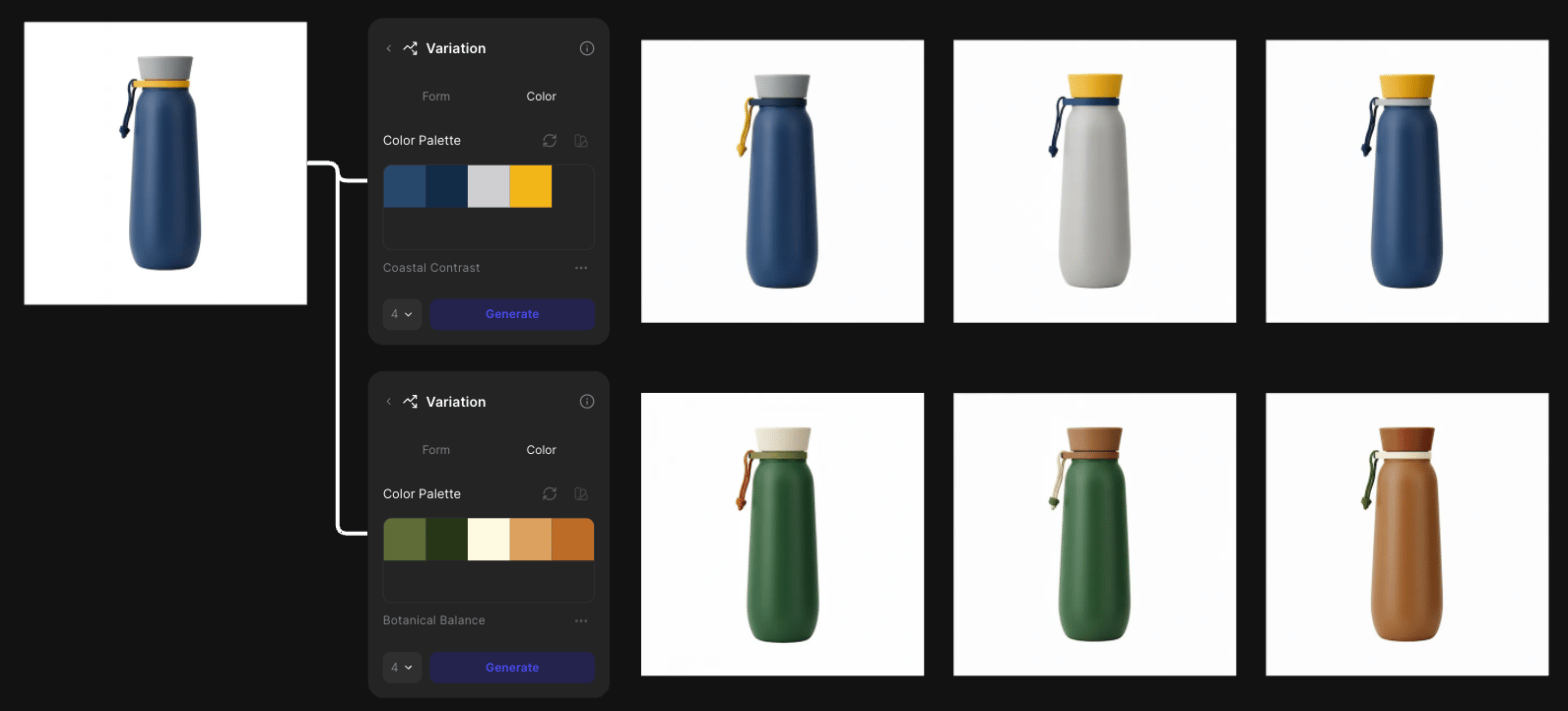
One product, two palettes: each Variation block makes its own colorways.
1
Add a Variate block
Click Insert (+) > Variate, connect your image and open Color.
2
Change the palette
Click a swatch to change it, or click Access color palette for a saved one.
3
Choose how many
Pick 1, 4, 8 or 16, up to your plan’s limit.
4
Generate
Click Generate.
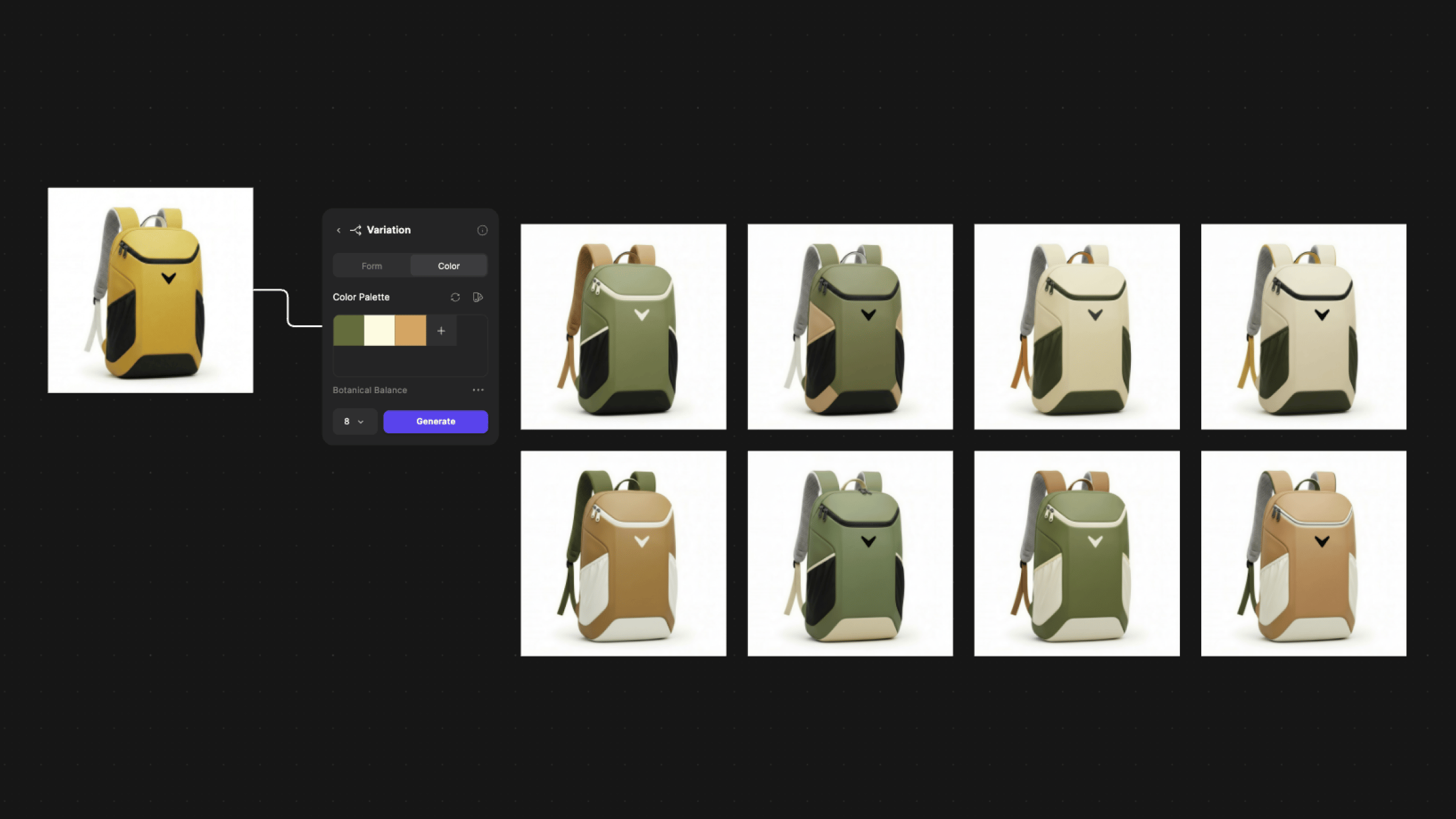
Eight colorways from one palette.
Control where each color goes
- Say it in a prompt: “Change only the top handle to safety yellow and keep the main body dark gray.”
- Use Region Maps for an exact color per part.
Batch colorways from a Library folder
Mention a folder of colors in a Modify prompt for one colorway per color.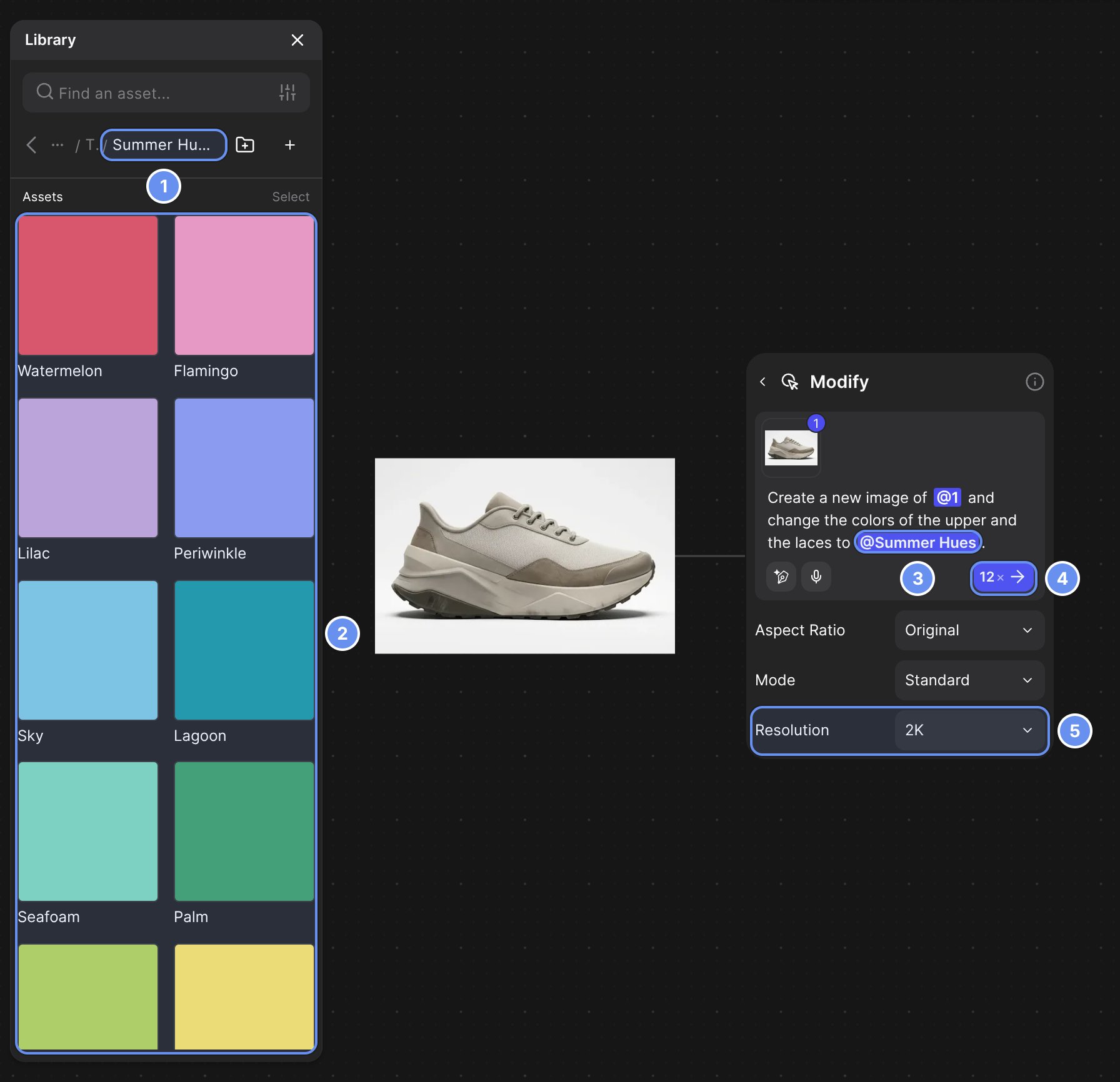
Folder (1) and colors (2), the mention (3), image count (4) and resolution (5).
1
Make a folder
In the Library, click the folder icon > Create folder.
2
Fill it with colors
Upload an .ase or .aco file. Each swatch becomes its own color.
3
Mention the folder in a prompt
Type the change and @-mention the folder.
4
Generate
Set Resolution to 1K or 2K and click the arrow.
- 4K isn’t available for folder batches.
- Batch size by plan: 6 Free, 12 Edu, 15 Pro, 25 Organization and Enterprise.
- Credits: each image is a normal Modify run; 12 at Standard 1K cost 48.
Extract and edit a palette
1
Add an Extract block
Click Insert (+) > Extract, connect an image and open Color.
2
Choose how to sample
Set Sample by: Hierarchy, Subject, Full image or Custom.
3
Edit and recolor
Change a swatch, then click Update colors (2 credits).
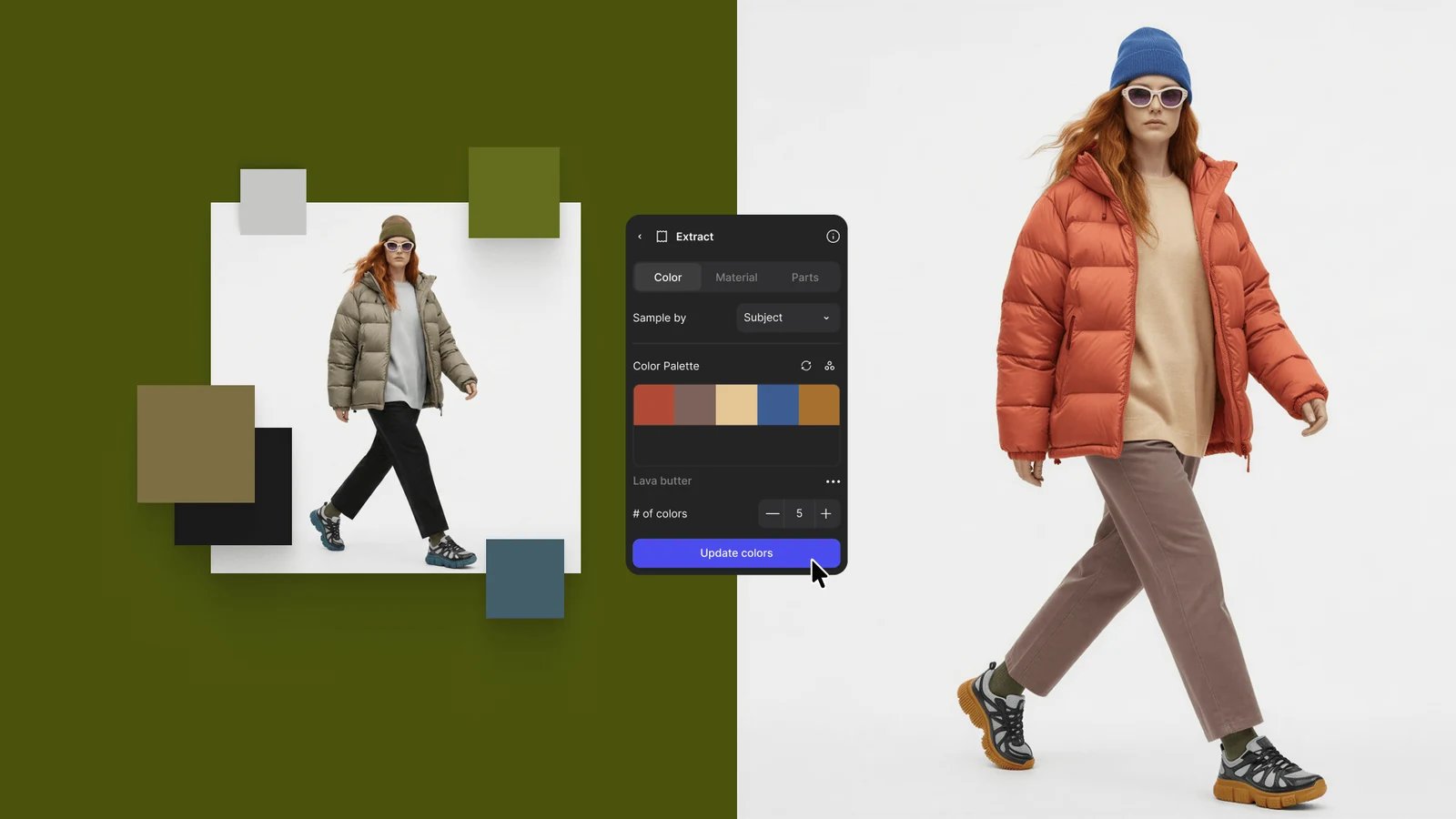
Change a swatch, click Update colors, and the image is recolored to match.
Make a material swatch
1
Open the Material tab
In an Extract block, open Material.
2
Frame the material
Drag the image so the material sits under the cutout.
3
Extract
Turn on Generate PBR if you need maps, then click Extract material.
Get better results
- Start from a clean base render. Muddy lighting gives inconsistent colorways.
- Sample by Subject for the product’s colors, Full image to include the scene.
Related
Color variation
Every Color tab setting.
Edit part of an image
Region Maps and selections.
Library
Saved colors and palettes.
Explore variations
Forms and views.